I listen to a lot of podcasts. Often months later something about one I listened to really strikes a chord, enough that I want to share it with others through Facebook or my blog. I'd like to quote the relevant section, but also link to about where it was in the audio.
Listening back through one or more hours of podcast just to find the right 60 seconds and transcribe them is enough extra work that I often just don't share. But now that I've got access to the Watson Speech to Text service I decided to try to find out how effectively I could use software to solve this. And, just to get a sense of the world, compare the Watson engine with Google and CMU Sphinx.
Input Data
The input in question was a lecture from the Commonwealth Club of California - Zip Code, not Genetic Code: The California Endowment's 10 year, $1 Billion Initiative. There was a really interesting bit in there about spending and outcome comparisons between different countries that I wanted to quote. The Commonwealth Club makes all these files available as mp3, which none of the speech engines handle. Watson and Google both can do FLAC, and Sphinx needs a wav file. Also it appears that all speech models are trained around the assumption of a 16kHz sampling, so I needed to down sample the mp3 file and convert it. Fortunately, ffmpeg to the rescue.
ffmpeg -i cc_20170323_Zip_Code_Not_Genetic_Code_Podcast.mp3 -ar 16000 podcast.wav
ffmpeg -i cc_20170323_Zip_Code_Not_Genetic_Code_Podcast.mp3 -ar 16000 podcast.flac
Watson
The Watson Speech to Text API can either work over websocket streaming or with bulk HTTP. While I had some python code to use the websocket streaming for live transcription, I was consistently getting SSL errors after 30 - 90 seconds. A bit of googling hints that this might actually be bugs on the python side. So I reverted back to the bulk HTTP upload interface using example code from the watson-developer-cloud python package. This script I used to do it is up on github.
The first 1000 minutes of transcription are free, so this is something you could reasonably do pretty regularly. After that it is$0.02 / minute for translation.
When doing this over the bulk interface things are just going to seem to have "hung" for about 30 minutes, but it will eventually return data. Watson seems like it's operating no faster than 2x real time for processing audio data. The bulk processing time surprised me, but then I realized that with the general focus on real time processing most speech recognition systems just need to be faster than real time, and optimizing past that has very diminishing returns, especially if there is an accuracy trade off in the process.
The returned raw data is highly verbose, and has the advantages of having timestamps per word, which makes finding passages in the audio really convenient.
          ...
          "confidence": 0.947,
          "transcript": "and it joined the endowment in October of two thousand nine prior to his appointment at the endowment doctor right decirte since two thousand three as both the director and county health officer for the Alameda county public health department and in that role he oversaw the creation of an innovative public health practice designed to eliminate health disparities by tackling the root causes of poor health that limit quality of life and lifespan as a primary care physician for the San Francisco department of public health ",
          "timestamps": [
            [
              "and",
              27.26,
              27.61
            ],
            [
              "it",
              27.66,
              27.88
            ],
          ...
So 30 minutes in I had my answer.
Google
I was curious to also see what the Google experience was like, which I originally did through their API console quite nicely. Google is clearly more focused on short bits of audio. There are 3 interfaces: sync, async, and streaming. Only async allows for greater than 60 seconds of audio.
In the async model you have to upload your content to Google Storage first, then reference it as a gs:// url. That's all fine, and the Google storage interface is stable and well documented, but it is an extra step in the process. Especially for content I'm only going to have to care about once.
Things did get a little tricky translating my console experience to python... 3 different examples listed in the official documentation (and code comments) were wrong. The official SDK no longer seems to implement long_running_recognize on anything except the grpc interface. And the google auth system doesn't play great with python virtualenvs, because it's python code that needs a custom path, but it's not packaged on pypi. So you need to venv, then manually add more paths to your env, then gauth login. It's all doable, but it definitely felt clunky.
I did eventually work through all of these, and have a working example up on github.
The returned format looks pretty similar to the Watson structure (there are only so many ways to skin this cat), though a lot more compact, as there isn't per word confidence levels or per word timings.
    {
      "alternatives": [
        {
          "confidence": 0.9615234732627869,
          "transcript": "greetings and welcome to today's meeting of the Commonwealth Club of California I'm Patty James vice-chair of the club's health and Medicine member that form and chair of this program and now it's my pleasure to introduce dr. Anthony iton MD JD and MPH which is a masters of Public Health I have to admit I had to look it up senior vice president of Healthy Communities joined the endowment in October of 2009 prior to his appointment at the endowment dr. right this Earth since 2003 as both the director and County Health officer for the Alameda County Public Health Department and in that role he oversaw the creation of an Innovative Public Health practice designed to eliminate Health disparities by tackling the root causes a poor health that limit quality of life and life span as a primary care physician for the San Francisco Department of Public Health dr. writing career includes past Service as a staff attorney"
        }
      ]
    },
For my particular problem that makes Google less useful, because the best I can do is dump all the text to the file, search for my phrase, see that it's 44% of the way through the file, and jump to around there in the audio. It's all doable, just not quite as nice.
CMU Sphinx
Being on Linux it made sense to try out CMU Sphinx as well, which took some googling on how to do it.
sudo apt install pocketsphinx pocketsphinx-en-us
Then run it with the following:
pocketsphinx_continuous -dict /usr/share/pocketsphinx/model/en-us/cmudict-en-us.dict -lm /usr/share/pocketsphinx/model/en-us/en-us.lm.bin -infile podcast.wav 2> voice.log | tee sphinx-transcript.log
Sphinx prints out a ton of debug stream on stderr, which you want to get out of the way, then the transcription should be sent to a file. Like with Watson, it's really going only a bit faster than real time, so this is going to take a minute.
Converting JSON to snippets
To try to compare results I needed to start with comparable formats. I had 2 JSON blobs, and one giant text dump. A little jq magic can extract all the text:
cat watson-transcript.json | jq '.["results"][]["alternatives"][0]["transcript"]' | sed 's/"//g'
cat google-transcript.json | jq '.["results"][]["alternatives"][0]["transcript"]' | sed 's/"//g'
Comparison: Watson vs. Google
For the purpose of comparisons, I dug out the chunk that I was expecting to quote, which shows up about half way through the podcast, at second 1494.98 (24:54.98) according to Watson.
The best way I could think to compare all of these is start / end at the same place, word wrap the texts, and then use wdiff to compare them. Here is watson (-) vs. google (+) for this passage:
one of the things that they [-it you've-] probably all [-seen all-]
{+seem you'll+} know that [-we're the big spenders-] {+where The Big
Spenders+} on [-health care-] {+Healthcare+} so this is per capita
spending of [-so called OECD-] {+so-called oecd+} countries developed
countries around the world and whenever you put [-U. S.-] {+us+} on
the graphic with everybody else you have to change the [-axis-]
{+access+} to fit the [-U. S.-] {+US+} on with everybody else
[-because-] {+cuz+} we spend twice as much as {+he always see+} the
[-OECD-] average [-and-] {+on+} the basis on [-health care-]
{+Healthcare+} the result of all that spending we don't get a lot of
bang for our [-Buck-] {+buck+} we should be up here [-we're-] {+or+}
down there [-%HESITATION-] so we don't get a lot [-health-] {+of
Health+} for all the money that we're spending we all know that that's
most of us know that [-I'm-] it's fairly well [-known-] {+know+}
what's not as [-well known-] {+well-known+} is this these are two
women [-when Cologne take-] {+one killoran+} the other one Elizabeth
Bradley at Yale and Harvard respectively who actually [-our health
services-] {+are Health Services+} researchers who did an analysis
[-it-] {+that+} took the per capita spending on health care which is
in the blue look at [-all OECD-] {+Alloa CD+} countries but then added
to that per capita spending on social services and social benefits and
what they found is that when you do that [-the U. S.-] {+to us+} is no
longer the big [-Spender were-] {+spender or+} actually kind of smack
dab in the middle of the pack what they also found is that spending on
social services and benefits [-gets you better health-] {+Gets You
Better Health+} so we literally have the accent on the wrong syllable
and that red spending is our social [-country-] {+contract+} so they
found that in [-OECD-] {+OCD+} countries every [-two dollars-] {+$2+}
spent on [-social services-] {+Social Services+} as [-opposed to
dollars-] {+a post $2+} to [-one-] {+1+} ratio [-in social service-]
{+and Social Service+} spending to [-health-] {+help+} spending is the
recipe for [-better health-] {+Better Health+} outcomes [-US-] {+us+}
ratio [-is fifty five cents-] {+was $0.55+} for every dollar [-it
helps me-] {+of houseman+} so this is we know this if you want better
health don't spend it on [-healthcare-] {+Healthcare+} spend it on
prevention spend it on those things that anticipate people's needs and
provide them the platform that they need to be able to pursue
[-opportunities-] {+opportunity+} the whole world is telling us that
[-yet-] {+yeah+} we're having the current debate that we're having
right at this moment in this country about [-healthcare-] {+Healthcare
there's+} something wrong with our critical thinking [-so-] {+skills+}
Both are pretty good. Watson feels a little more on target, with getting axis/access right, and being more consistent on understanding when U.S. is supposed to be a proper noun. When Google decides to capitalize things seems pretty random, though that's really minor. From a content perspective both were good enough. But as I said previously, the per word timestamps on Watson still made it the winner for me.
Comparison: Watson vs Sphinx
When I first tried to read the Sphinx transcript it felt so scrambled that I wasn't even going to bother with it. However, using wdiff was a bit enlightening:
one of the things that they [-it you've-] {+found that you+} probably
all seen [-all-] {+don't+} know that [-we're the-] {+with a+} big
spenders on health care [-so this is-] {+services+} per capita
spending of so called [-OECD countries-] {+all we see the country's+}
developed countries {+were+} around the world and whenever you put
[-U. S.-] {+us+} on the graphic with everybody else [-you have-] {+get
back+} to change the [-axis-] {+access+} to fit the [-U. S.-]
{+u. s.+} on [-with everybody else because-] {+the third best as+} we
spend twice as much as {+you would see+} the [-OECD-] average [-and-]
the basis on health care the result of all [-that spending-] {+let
spinning+} we don't [-get-] {+have+} a lot of bang for [-our Buck-]
{+but+} we should be up here [-we're-] {+were+} down [-there
%HESITATION-] {+and+} so we don't [-get a lot-] {+allow+} health [-for
all the-] {+problem+} money that we're spending we all know that
that's {+the+} most [-of us know that I'm-] {+was the bum+} it's
fairly well known what's not as well known is this these [-are-]
{+were+} two women [-when Cologne take-] {+one call wanted+} the other
one [-Elizabeth Bradley-] {+was with that way+} at [-Yale-] {+yale+}
and [-Harvard respectively who actually our health-] {+harvard
perspective we whack sheer hell+} services researchers who did an
analysis it took the per capita spending on health care which is in
the blue look at all [-OECD-] {+always see the+} countries [-but
then-] {+that it+} added to that [-per capita-] {+for capital+}
spending on social services [-and-] {+as+} social benefits and what
they found is that when you do that the [-U. S.-] {+u. s.+} is no
longer the big [-Spender-] {+spender+} were actually kind of smack dab
in the middle [-of-] the [-pack-] {+pact+} what they also found is
that spending on social services and benefits [-gets-] {+did+} you
better health so we literally [-have the-] {+heavy+} accent on the
wrong [-syllable-] {+so wobble+} and that red spending is our social
[-country-] {+contract+} so they found that [-in OECD countries-]
{+can only see the country's+} every two dollars spent on social
services as opposed to [-dollars to one ratio in-] {+know someone
shone+} social service [-spending to-] {+bennington+} health spending
is the recipe for better health outcomes [-US ratio is-] {+u. s. ray
shows+} fifty five cents for every dollar [-it helps me-] {+houseman+}
so this is we know this if you want better health don't spend [-it-]
on [-healthcare spend it-] {+health care spending+} on prevention
[-spend it-] {+expanded+} on those things that anticipate people's
needs and provide them the platform that they need to be able to
pursue [-opportunities-] {+opportunity+} the whole world is [-telling
us that-] {+telecast and+} yet we're having [-the current debate
that-] {+a good they did+} we're having right at this moment in this
country [-about healthcare-] {+but doctor there's+} something wrong
with our critical thinking [-so-] {+skills+}
There was an pretty interesting Blog post a few months back comparing similar Speech to Text services. His analysis used raw misses to judge accuracy. While that's a very objective measure, language isn't binary. Language is the lossy compression of a set of thoughts/words/shapes/smells/pictures in our mind over a shared medium audio channel and attempted to be reconstructed in real time in another mind. As such language, and especially conversation, has checksums and redundancies.
The effort required to understand something isn't just about how many words are wrong, but what words they were, and what the alternative was. Axis vs. access, you could probably have figured out. "Spending to" vs. "bennington", takes a lot more mental energy to work out, maybe you can reverse it. "Harvard respectively who actually our health" (which isn't even quite right) vs. "harvard perspective we whack sheer hell" is so far off the deep end you aren't ever getting back.
So while its mathematical accuracy might not be much worse, the rabbit holes it takes you down pretty much scramble things beyond the point of no return. Which is unfortunate, as it would be great if there was an open solution in this space. But it does get to the point that for good speech to text you not only need good algorithms, but tons of training data.
Playing with this more
I encapsulated all the code I used for this in a github project, some of it nicer than others. When it gets to signing up for accounts and setting up auth I'm pretty hand wavy, because there is enough documentation on those sites to do it.
Given the word level confidence and timestamps, I'm probably going to build something that makes an HTML transcript that's marked up reasonably with those. I do wonder if it would be easier to read if you knew which words it was mumbling through. I was actually a little surprised that Google doesn't expose that part of their API, as I remember the Google Voice UI exposing per word confidence levels graphically in the past.
I'd also love to know if there were ways to get Sphinx working a little better. As an open source guy, I'd love for there to be a good offline and open solution to this problem as well.
This is an ongoing exploration, so if you have any follow on thoughts or questions, please leave a comment. I would love to know better ways to do any of this.
Meet 1I/2017 U1 (‘Oumuamua), but make it fast, because it’s already leaving.

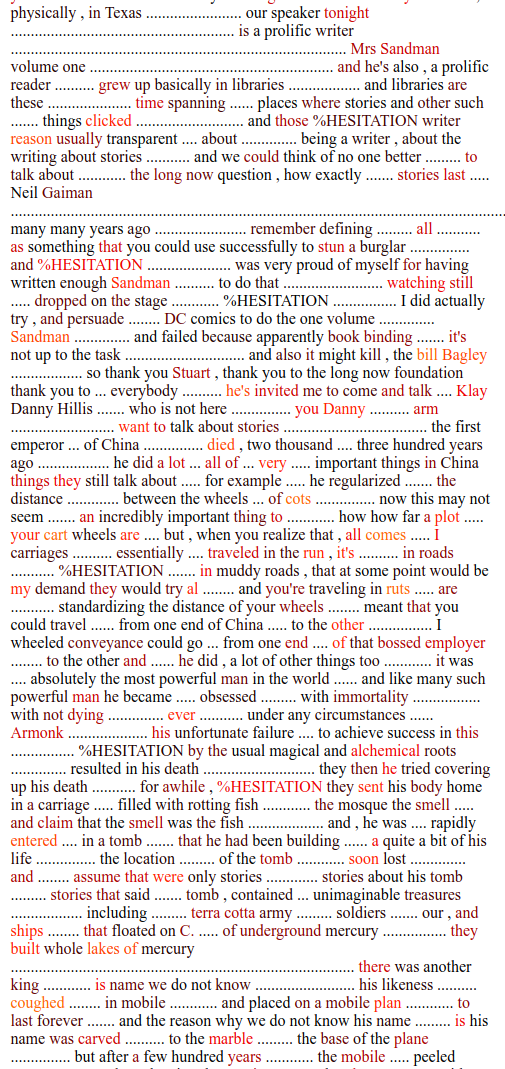 This is a talk by Neil Gaiman about how stories last at the