This is the version of the talk I gave at API Strat back in November about OpenStack's API microversions implementation, mostly trying to frame the problem statement. The talk was only 20 minutes long, so you can only get so far into explaining the ramifications of the solution.
This talk dives into an interesting issue we ran into with OpenStack, an open source project that is designed to be deployed by public and private clouds, and exposes a REST API that users will consume directly. But in order to understand why we had to do something new, it's first important to understand basic assumptions on REST API versioning, and where those break down.
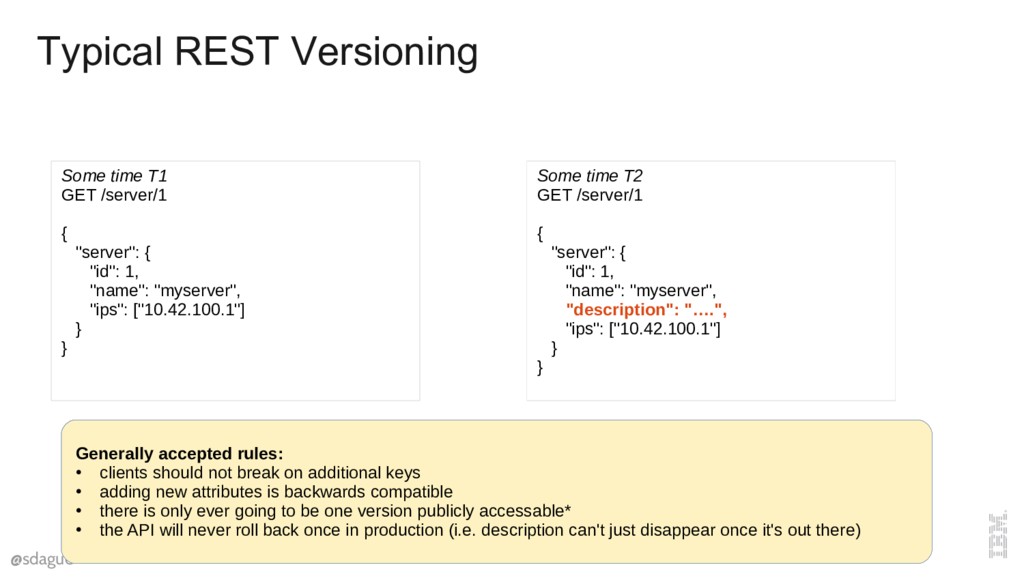
There are some generally agreed to rules with REST API Versioning. They are that additive operations, like adding a key, shouldn't break clients, because clients shouldn't care about extra data that they get back. If you add new code that adds a new attribute, like description, you can make these changes, roll them out to the user, they get an extra thing and life is good.
This mostly work as long as you have a single instance, so new attributes show up "all at once" for users, and that you don't rollback an API change after it's been in production for any real length of time.
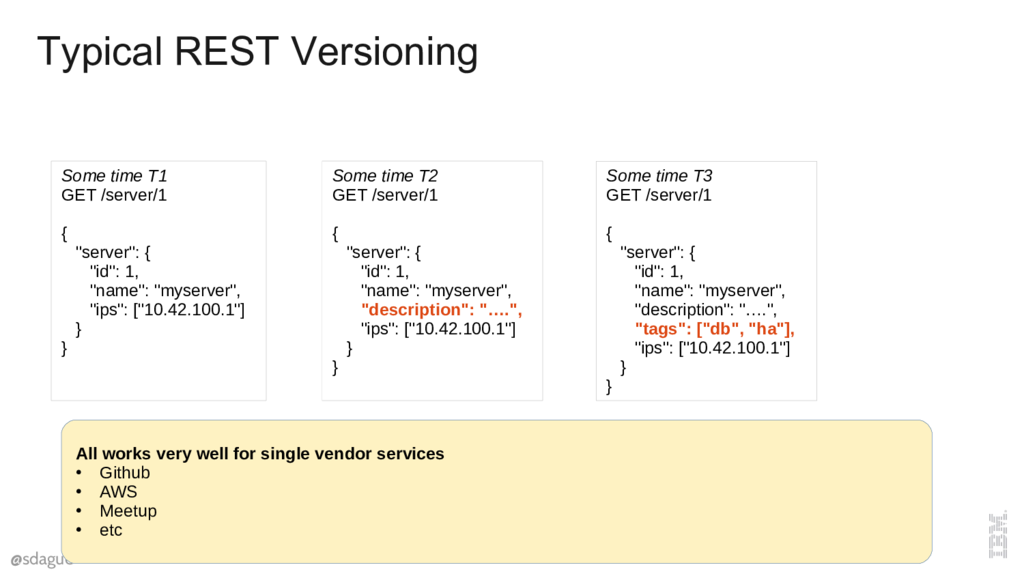
This itself is additive, you can keep adding more attributes over time. Lots of public web services use this approach. And this mostly just works.
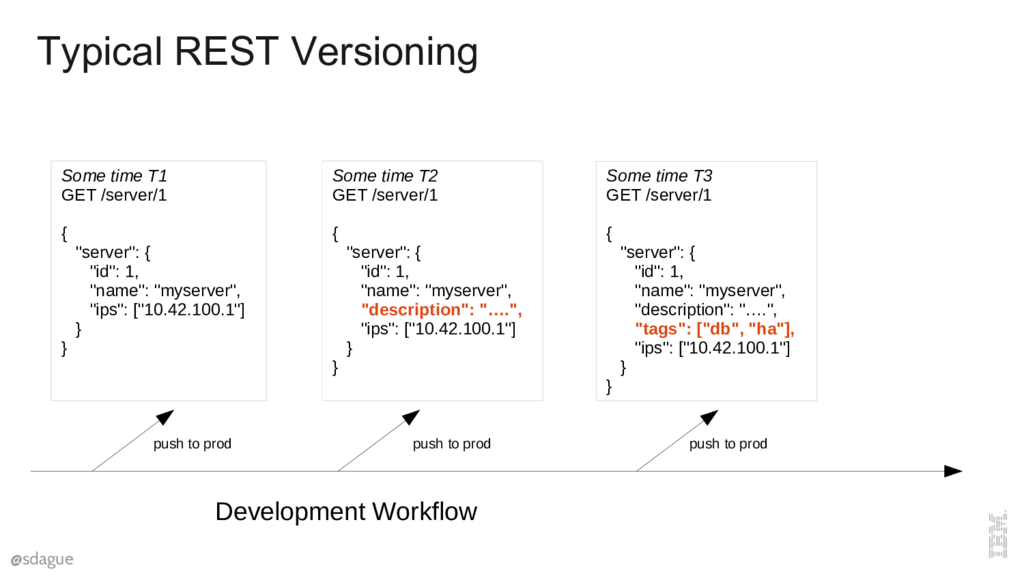
It's worth thinking for a moment about the workflow that supports this kind of approach. There is some master branch where features are being written and enabled, and at key points in time these features are pushed to production, where those features show up for users. Basic version control, nothing too exciting here.
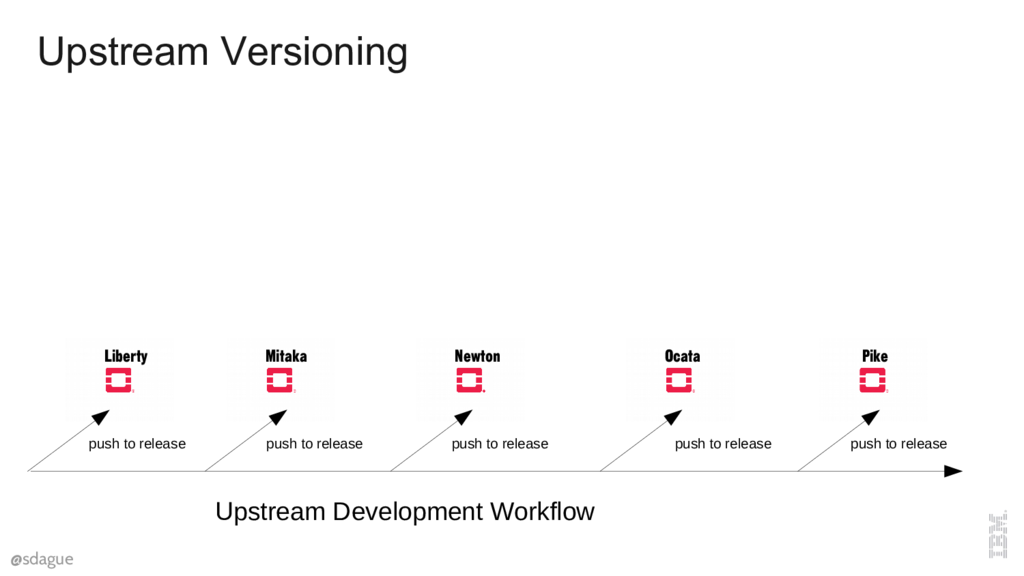
But what does this look like in an Open Source project? In open source we've got a master upstream branch, and perhaps stable releases that happen from time to time. Here we'll get specific and show the OpenStack release structure. OpenStack creates a stable release every 6 months, and main development continues on in git master. These are named with letters of the alphabet, so Liberty, Mitaka, Newton, Ocata, Pike being the last 5 releases.
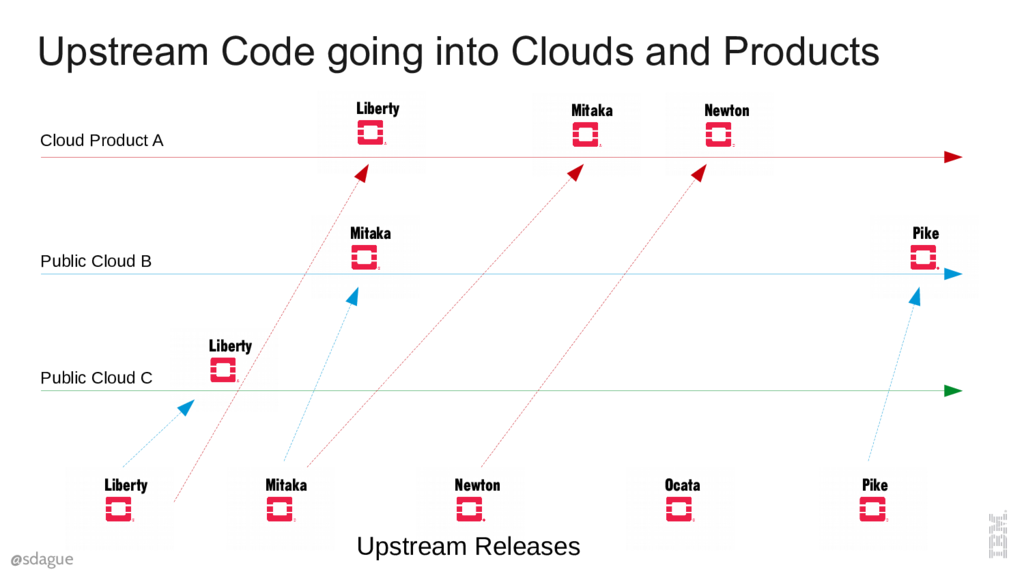
But releasing stable code doesn't get it into the hands of users. Clouds have to deploy that code. Some may do that right away, others may take a while. Exactly when a release gets into the users hands is an unknown. This gets even more tricky when you consider private clouds that are consuming something like a Linux Distro's version of OpenStack. There is a delay getting into the distro, then another delay about when they decide to upgrade.
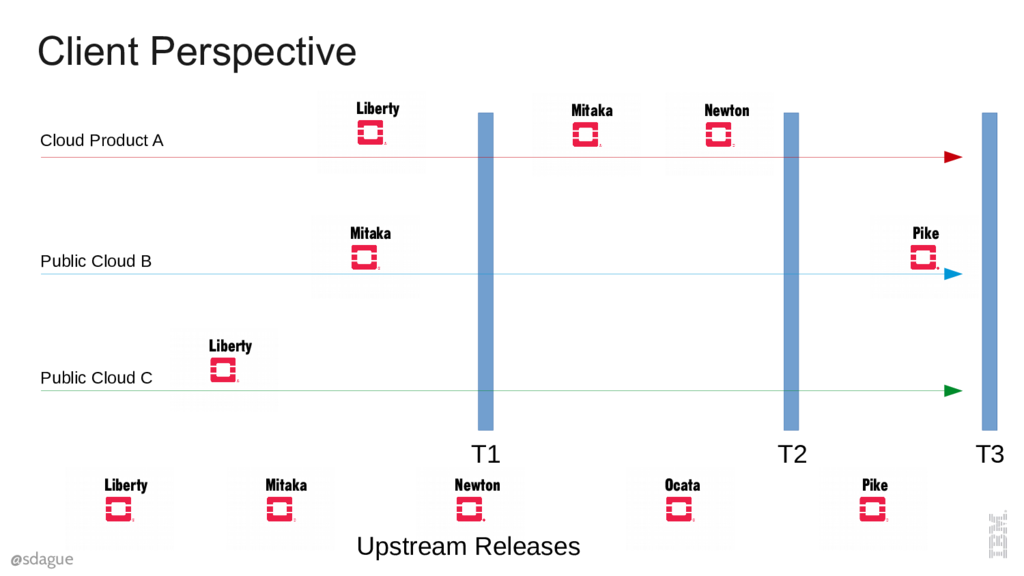
End users have no visibility into the versions of OpenStack that operators have deployed, they only know about the API. So when they are viewing the world across clouds at a specific point in time (T1, T2, or T3) they will experience different versions of the API.
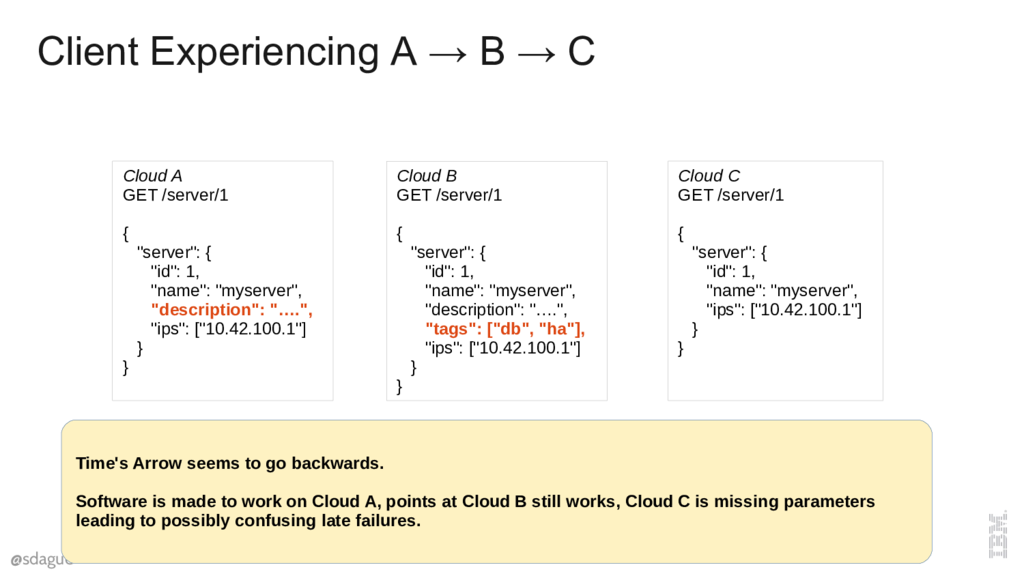
Let's take that T3 example. If a user starts by writing their software to Cloud A, the description field is there. They are going to assume that's just part of the base API. They then connect their software to Cloud B, and all is fine. But, when later in the week they point it at Cloud C, the API has magically "removed" attributes. Removing attributes in the server is never considered safe.
This might blow up immediately, or it might just carry a null value that fails very late in the processing of the data.
The lesson here is that the assumed good enough rules don't account for a different team developing software than deploying it. Sure, you say, that's not good Dev Ops, of course it's not supported. But be careful with what you are saying there, because we deploy software we don't develop all the time, 3rd party open source. And if you've come down firmly that open source is not part of Dev Ops, I think a lot of people would look at you a bit funny.
I'm responsible for two names that took off in OpenStack, one is Microversions. Like any name that catches on you regret it later because it misses the important subtlety of what is going on. Don't ask me to name things.
But besides the name, what are microversions?
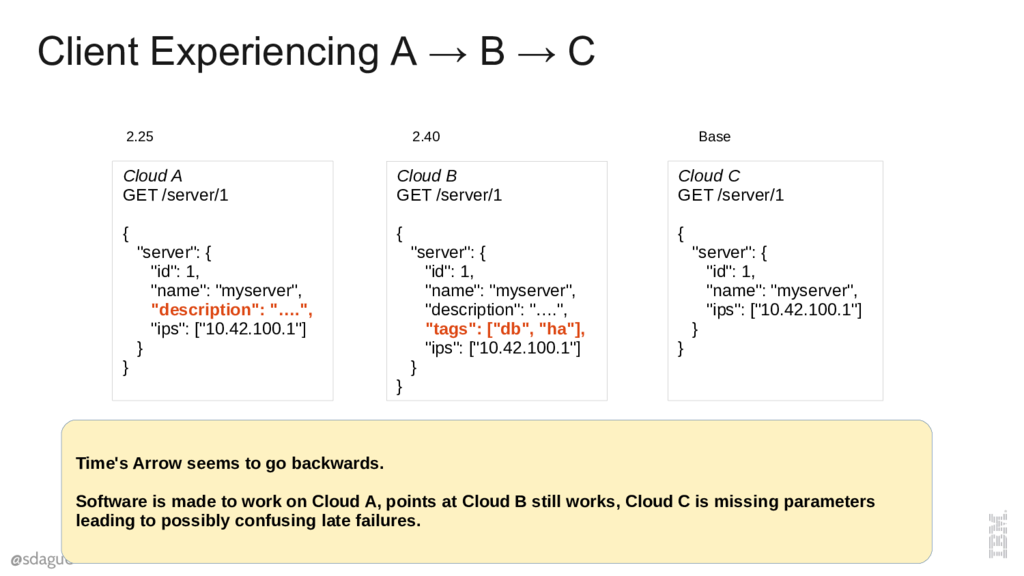
Let's look at that example again, if we experience the world at time T3, with Clouds A, B, and C, the real issue is that hitting Cloud C appears to make time "go backwards". We've gone back in time and experienced the software at a much earlier version. How do we avoid going backwards?
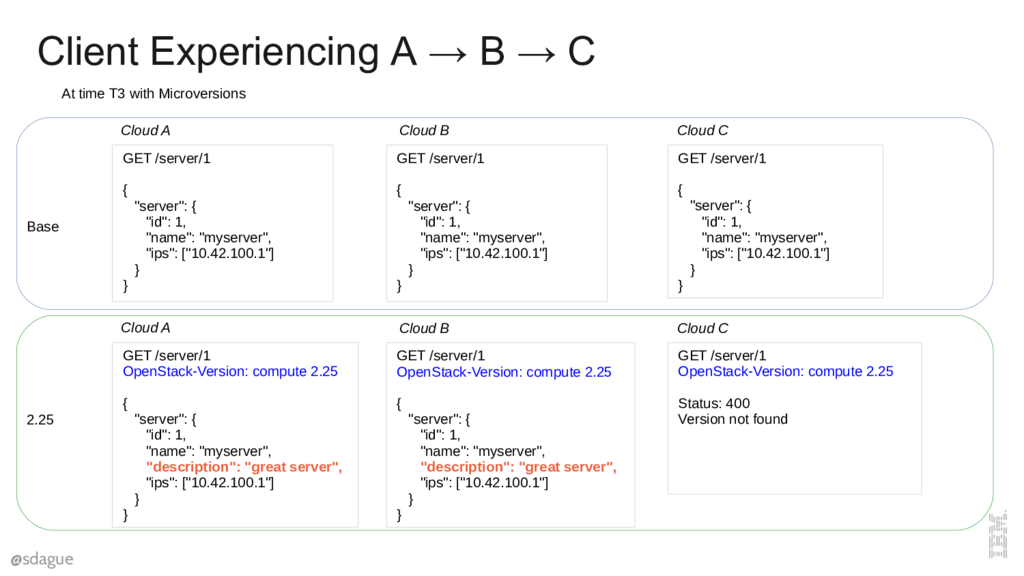
We introduce a header for the "microversion" we want. If we don't pass one, we get the minimum version the server supports. Everything after that we have to opt into. If we ask for a microversion the server doesn't support we get a hard 400 fail on the request. This lets us fail early, which is more developer friendly than giving back unexpected data which might corrupt things much later in the system.
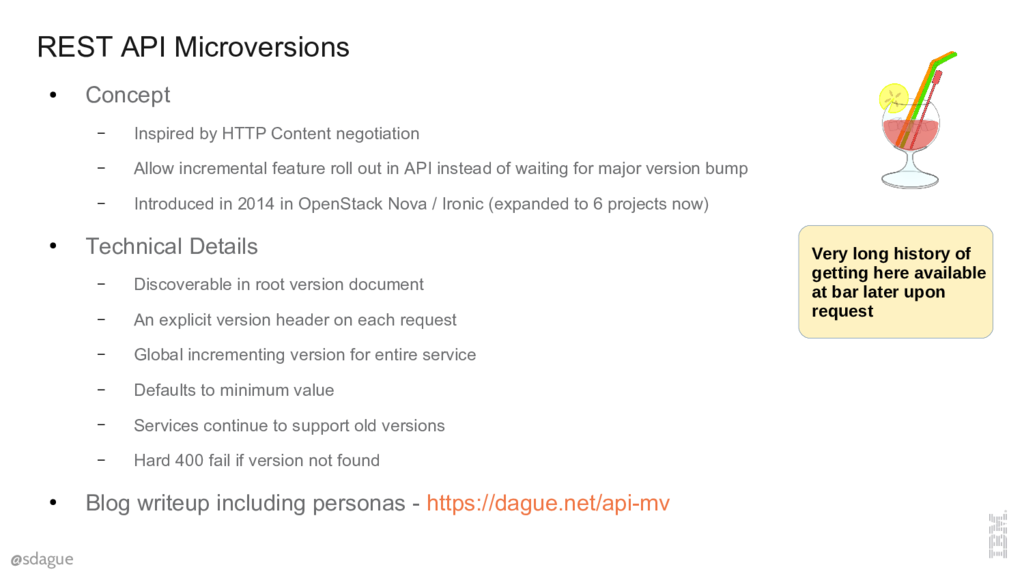
Roughly, microversions are inspired by HTTP content negotiation, where you can ask for different types of content from the same url, and the server will give you the best it can (you define "best" with a quality value). Because most developers implementing REST clients aren't deeply knowledgeable about HTTP low level details, we went for simplicity and did this with a dedicated header. For simplicity we also make this a globally incrementing value across all resources, instead of per resource. We wanted there to be no confusion what version 2.5 was.
The versions that a service supports are discoverable by hitting the root document of the API service. The other important note is that services are expected to continue to support old versions for a very long time. In Nova today we're up to about 2.53, and we still support everything back down to 2.0. That represents about 2.5 years of API changes.
There are a lot more details on the justification here for the approach, but not enough time today to go into them. If you want to learn more, I've got a blog writeup (link no longer available) from when we first did that that dives in pretty deep, including showing the personas you'd expect to interact with this system.
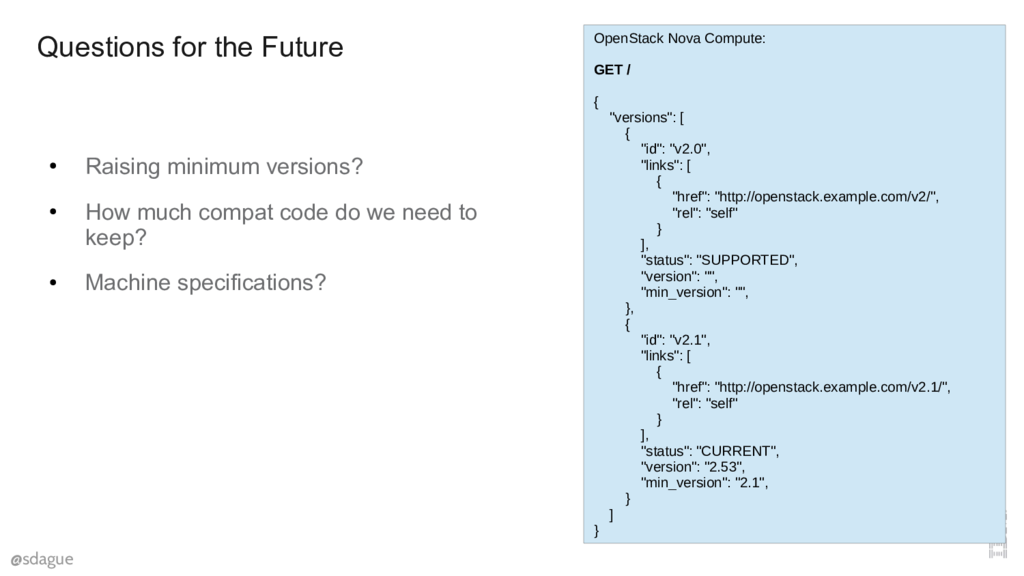
Thus far this has worked pretty well. About 1/2 the base services in OpenStack have implemented a version of this. Most are pretty happy with the results. That version document I talked about can be seen here.
There are open questions for the future, mostly around raising minimum versions. No one has done it yet, though there are some thoughts about how you do that.
Since I'm here, and there are a lot of OpenAPI experts around, I wanted to talk just briefly about OpenStack and OpenAPI.
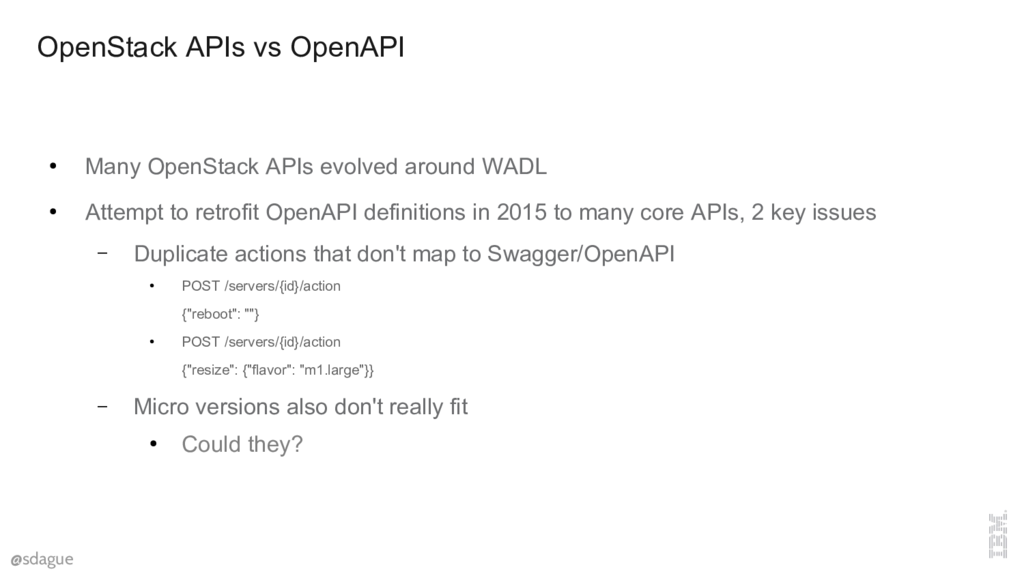
The OpenStack APIs date back to about 2010, when the state of the art for doing REST APIs was WADL. A now long dead proposed specification by Sun Microsystems. Lots of XML. But, that was the constraints at the time, which are different constraints than OpenAPI.
One of those issues is our actions API, where we use the same url with very different payloads to do non-RESTy function calls. Like reboot a server. The other is Microversions, which don't have any real way to make to OpenAPI without using vendor extensions, at which point you loose most of the interesting tooling in the ecosystem.
There is an open question in my mind about whether the microversion approach is interesting enough that it's something we could consider for OpenAPI. OpenStack could easily microversion itself out of the actions API to something more OpenAPI friendly, but without microversion support there isn't much point.
There was a talk yesterday about "Never have a breaking API change again", which followed about 80% of our story, but didn't need something like microversions because it was Azure, and they controlled when code got deployed to users.
There are very specific challenges for Open Source projects that expose a public web services API, and expect to be deployed directly by cloud providers. We're all used to open source behind the scenes, and plumbing to our services. But Open Source is growing into more areas. It is our services now. With things like OpenStack, Kubernetes, OpenWhisk... Open Source projects now are defining that user consumable API. If we don't come up with common patterns for how to handle it then we're putting Open Source at a disadvantage.
I've been involved in Open Source for close to two decades, and I strongly believe we should make Open Source able to play on the same playing field as proprietary services. The only way we can do this is think about if our tools and standards support Open Source all the way out to the edge.
Questions
Question 1: How long do you expect to have to keep the old code around, and how bad it is to manage that?
Answer: Definitely a long time, minimum a few years. The implementation of all of this is in python and we've got a bunch of pretty good decorators and documentation that makes it pretty easy to compartmentalize the code. No one has yet lifted a minimum version, as the amount of work to support the old code hasn't really been burdensome as of yet. We'll see how that changes in the future.
Question 2: Does GraphQL solve this problem in a way that you wouldn't need microversions?
Answer: That's a very interesting question. When we got started GraphQL was pretty nascent so not really on our radar. I've spent some time looking at GraphQL recently, and I think the answer is "yes, in theory, no in practice", and this is why.
Our experience with the OpenStack API over the last 7 years is no one consumes your API directly. They almost always use some 3rd party SDK in their programming language of choice that gives them nice language bindings, and feels like their language of choice. GraphQL is great when you are going to think about your interaction with the service in a really low level way, and ask only for the minimal data you need to do your job. But these SDK writers don't know what you need, so when they build their object models, they just do so by putting everything in. At which point you are pretty much back to where we started.
I think GraphQL is going to work out really well for really popular services (like github) where people are willing to take the hit to go super low level. Or where you know the backend details well enough to understand the cost differential of asking for different attributes. But I don't think it obviates trying to come up with a server side versioning for APIs in Open Source.
The more sophisticated science becomes, the harder it is to communicate results. Papers today are longer than ever and full of jargon and symbols. They depend on chains of computer programs that generate data, and clean up data, and plot data, and run statistical models on data. These programs tend to be both so sloppily written and so central to the results that it’s contributed to a replication crisis, or put another way, a failure of the paper to perform its most basic task: to report what you’ve actually discovered, clearly enough that someone else can discover it for themselves. Perhaps the paper itself is to blame. Scientific methods evolve now at the speed of software; the skill most in demand among physicists, biologists, chemists, geologists, even anthropologists and research psychologists, is facility with programming languages and “data science” packages. And yet the basic means of communicating scientific results hasn’t changed for 400 years. Papers may be posted online, but they’re still text and pictures on a page.
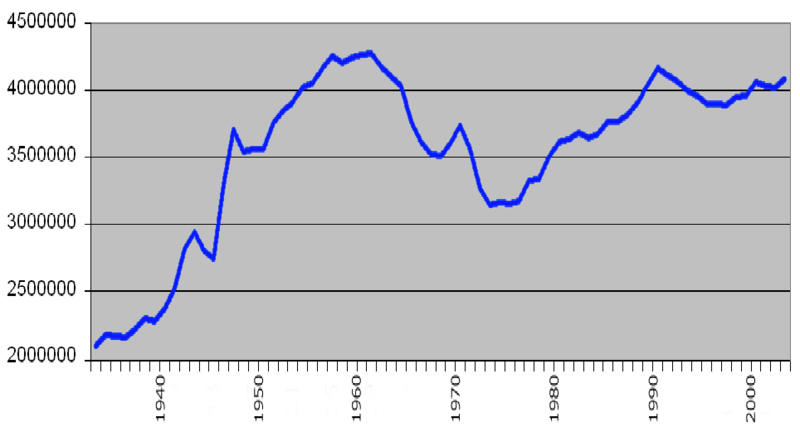
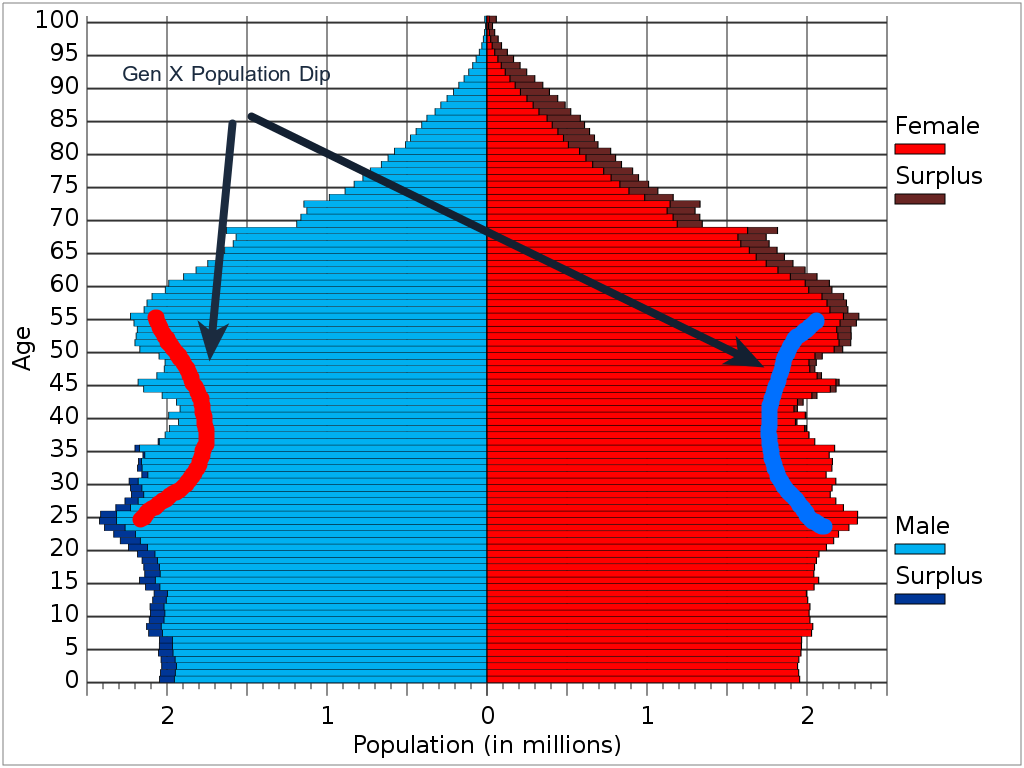
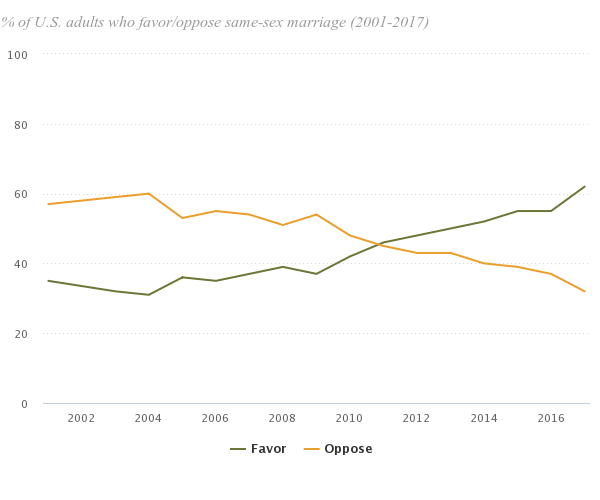
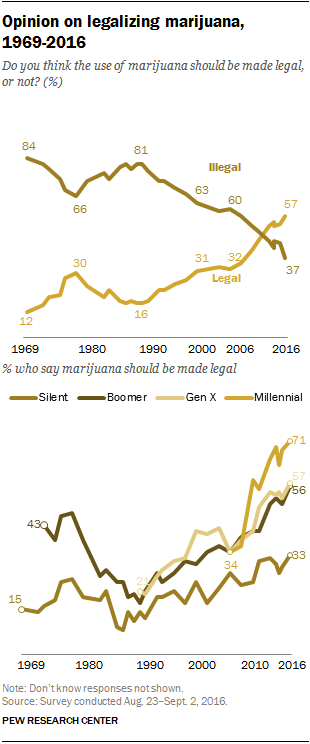 This is what generational discontinuity looks like. A flip of 60 / 40 opinion of something being bad vs. good in a 10 year period. Conventional wisdom, accepted norms, flipping really quite quickly after decades of the old attitude being around without any real changes.
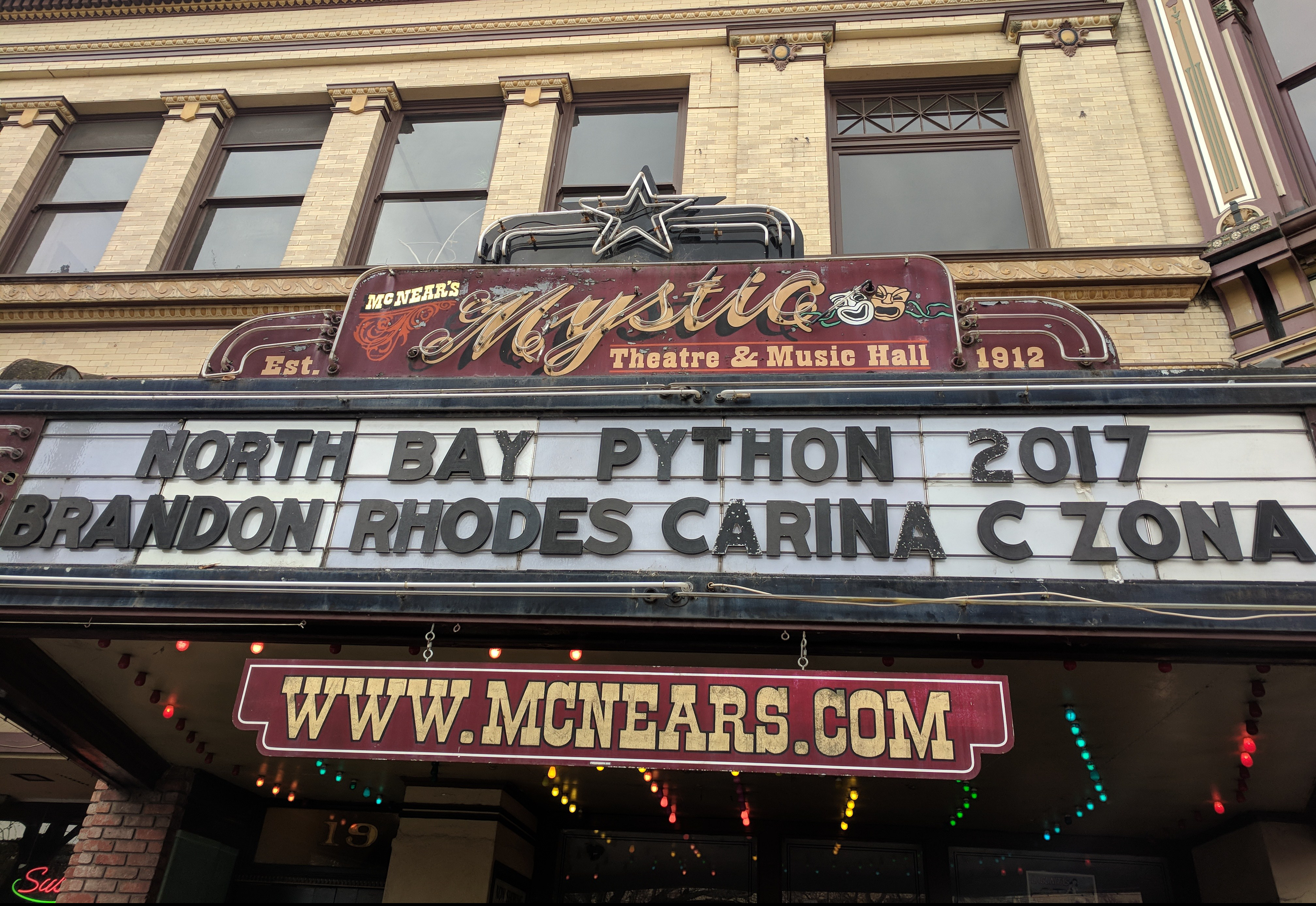 I had the pleasure of attending the first
 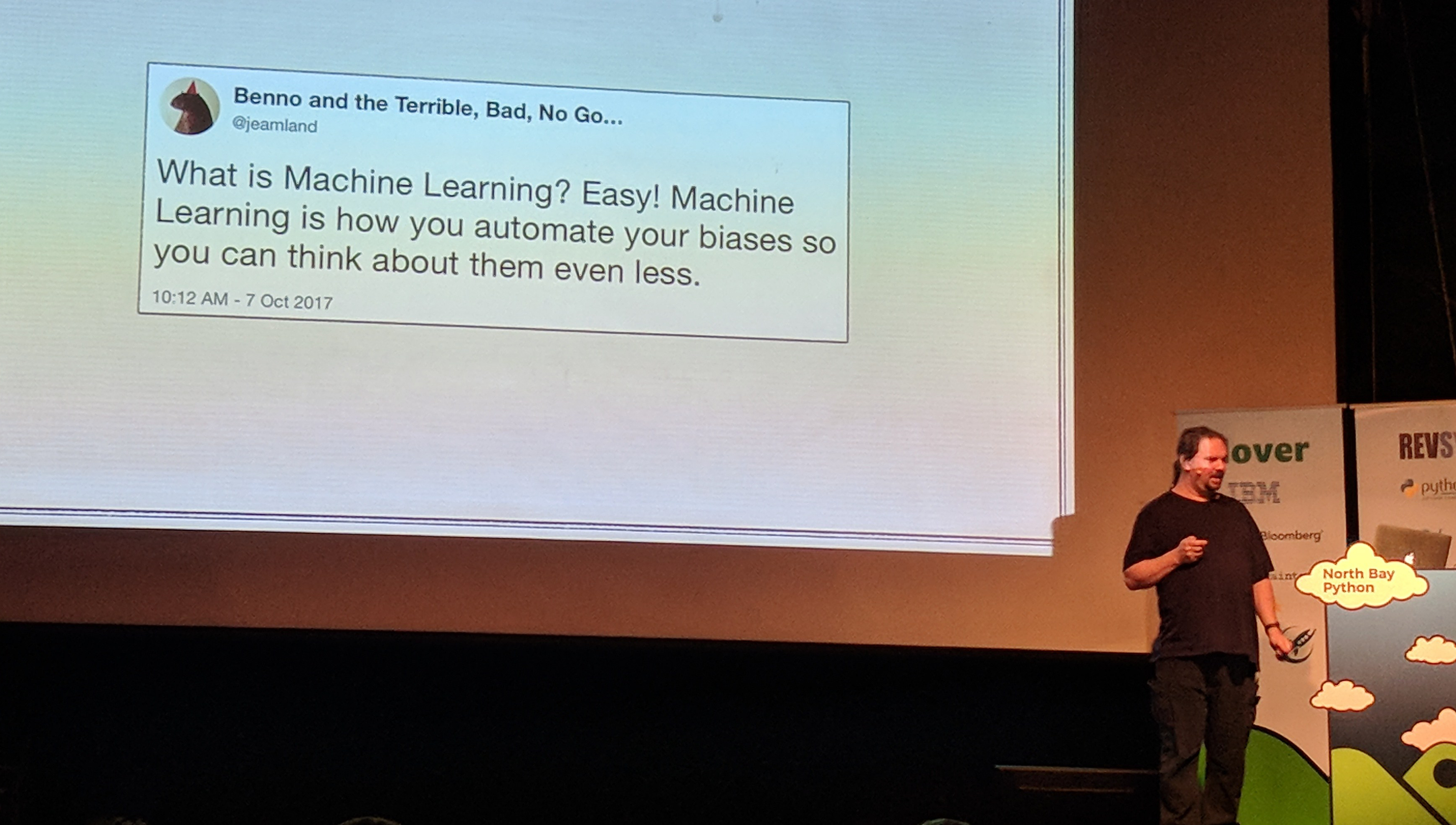 My vote for most hilarious talk was
 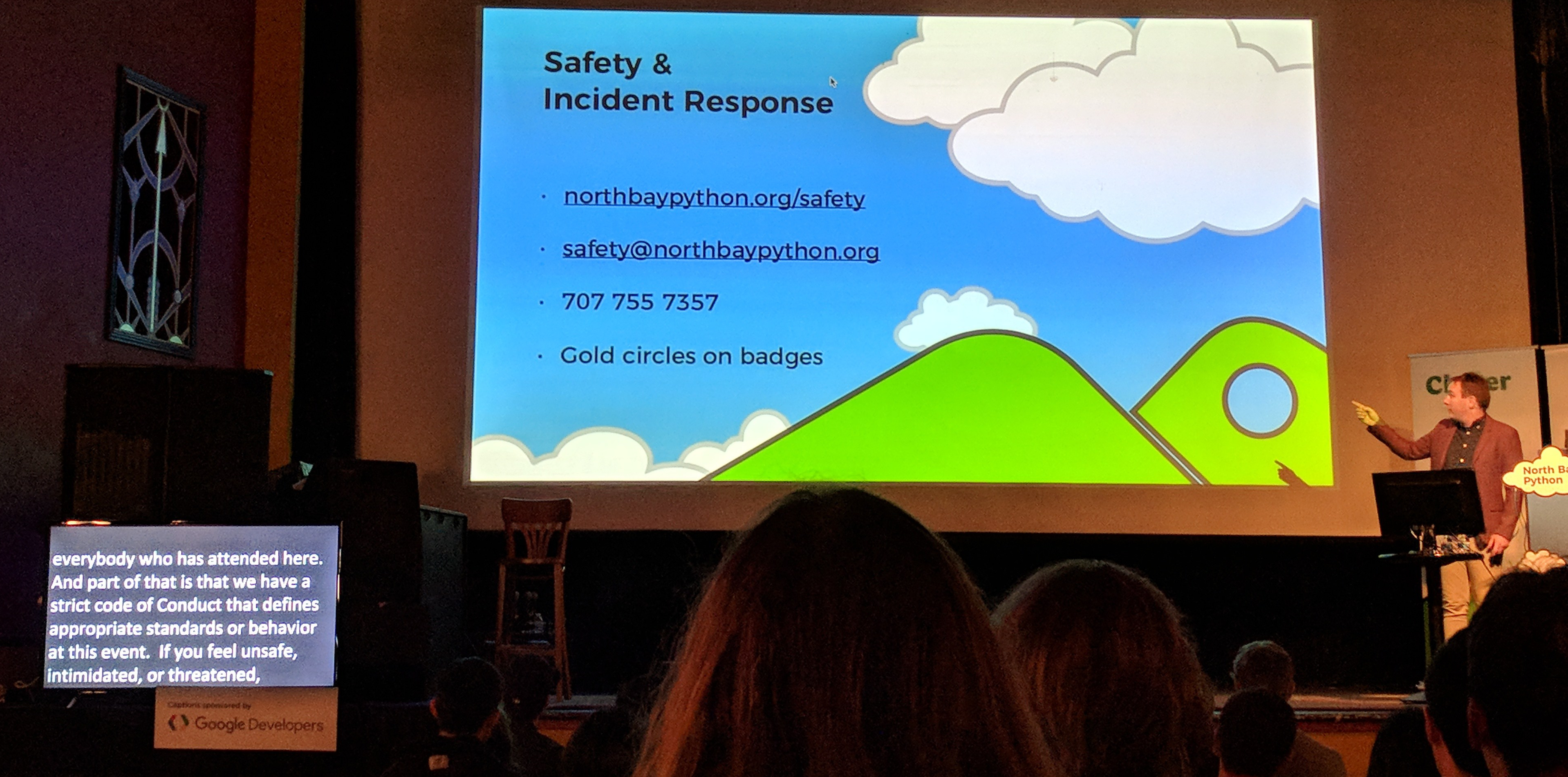 One of the welcome trends that I've seen at tech conferences over the last 5 years is a real focus on a strict Code of Conduct, clear reporting guidelines, and making sure that folks feel safe at these events. North Bay Python did a great job on that front, and that commitment definitely was reflected in a pretty diverse speaker lineup and attendee base.
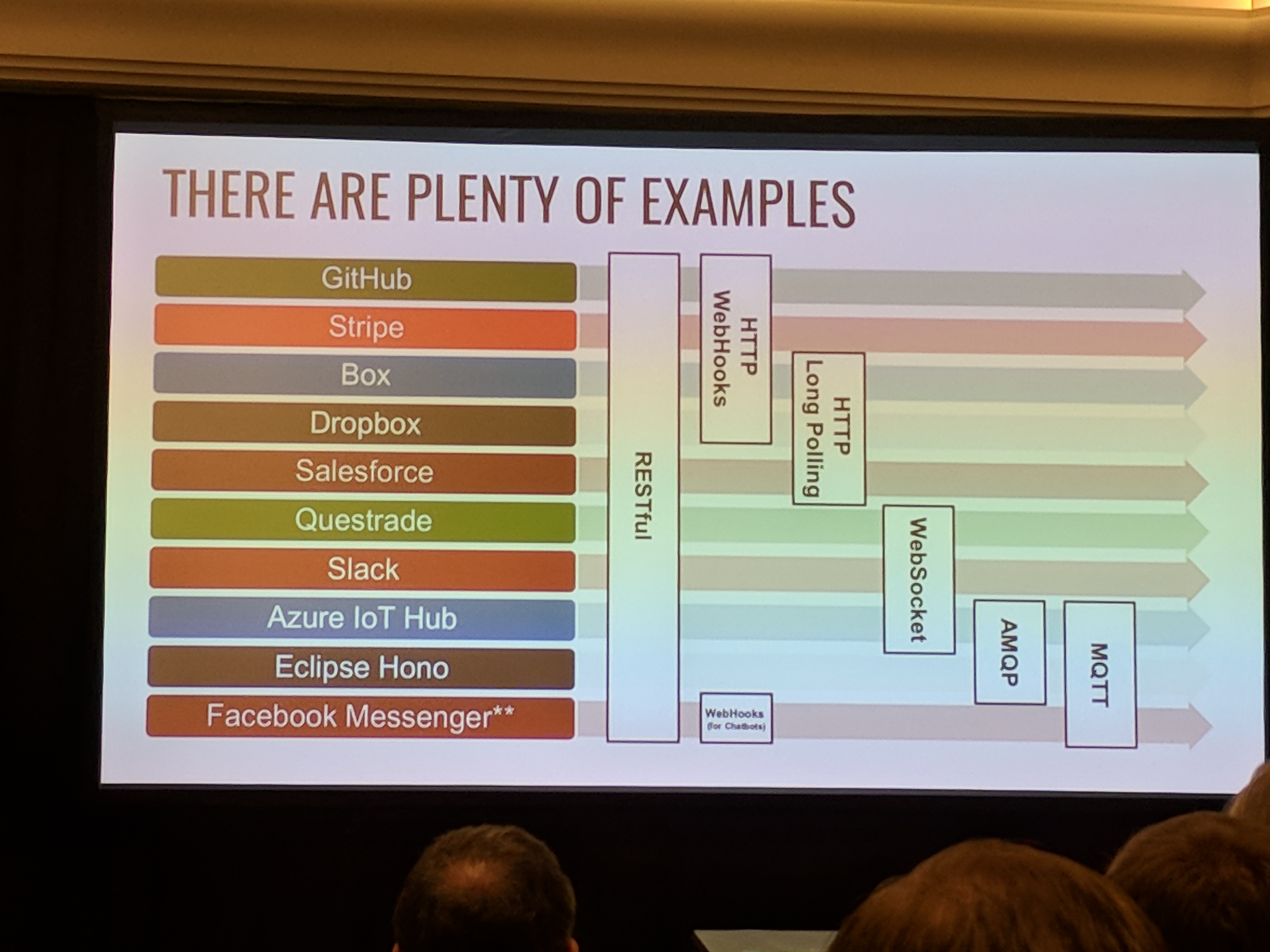 There were lots of talks that brought up the problem of getting real time events back to clients. Clients talking to servers is a pretty solved problem with RESTful interfaces. But the other way is far from a solved item. The 5 leading contenders are Webhooks (over http), HTTP long polling, Web Sockets, AMQP, and MQTT. Each has their boosters, and their place, but this is going to be a messy space for the next few years.