 As seen at at the Meteor last night with my friend Saibu.
From the Archive: When will then be now? Soon.
Time is fascinating. Maybe it's because I entered the field right before Y2K, but how we've taught computers to deal with time has been an area of interest for much of my career. Over a decade ago I gave a talk at HVOpen on this, and in recent years realized the core content never made it to the internet. It was one of my favorite talks, and unlike a lot of tech talks, still really is relevant 11 years later.
So here it is, from the archive, so it will be part of the internet core going forward. When I first gave this talk I did it with a 5th Doctor scarf on (until it got too hot in that room at Vassar). Read on if you want to learn more about time itself.
<div class="slides">
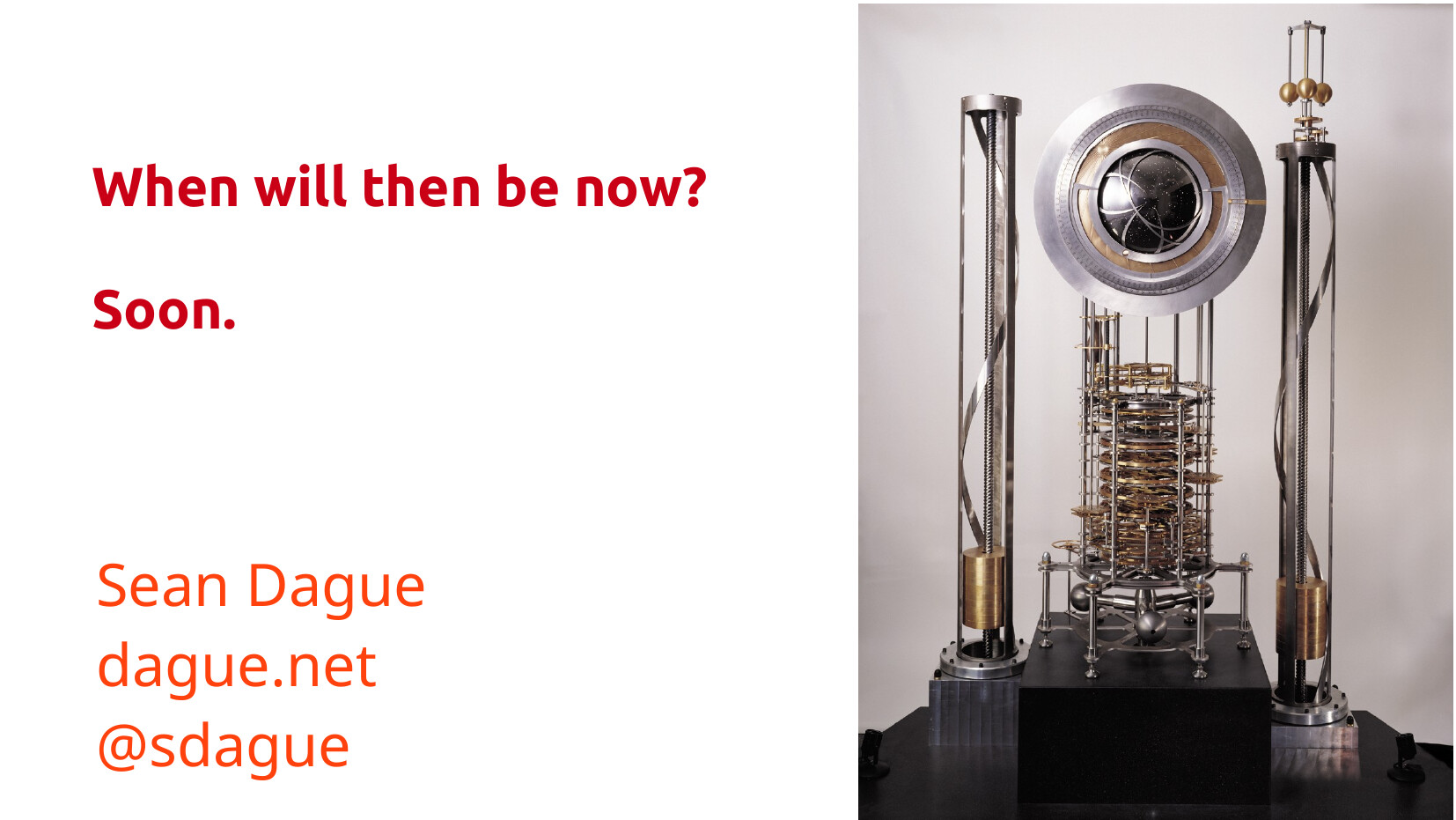 This is the clock of the Long Now. It's a clock designed to run 10,000 years, without human intervention. It's intended to end up in the hills of Nevada. It's a whole other story about that clock, but it felt like a good visual to kick us off.
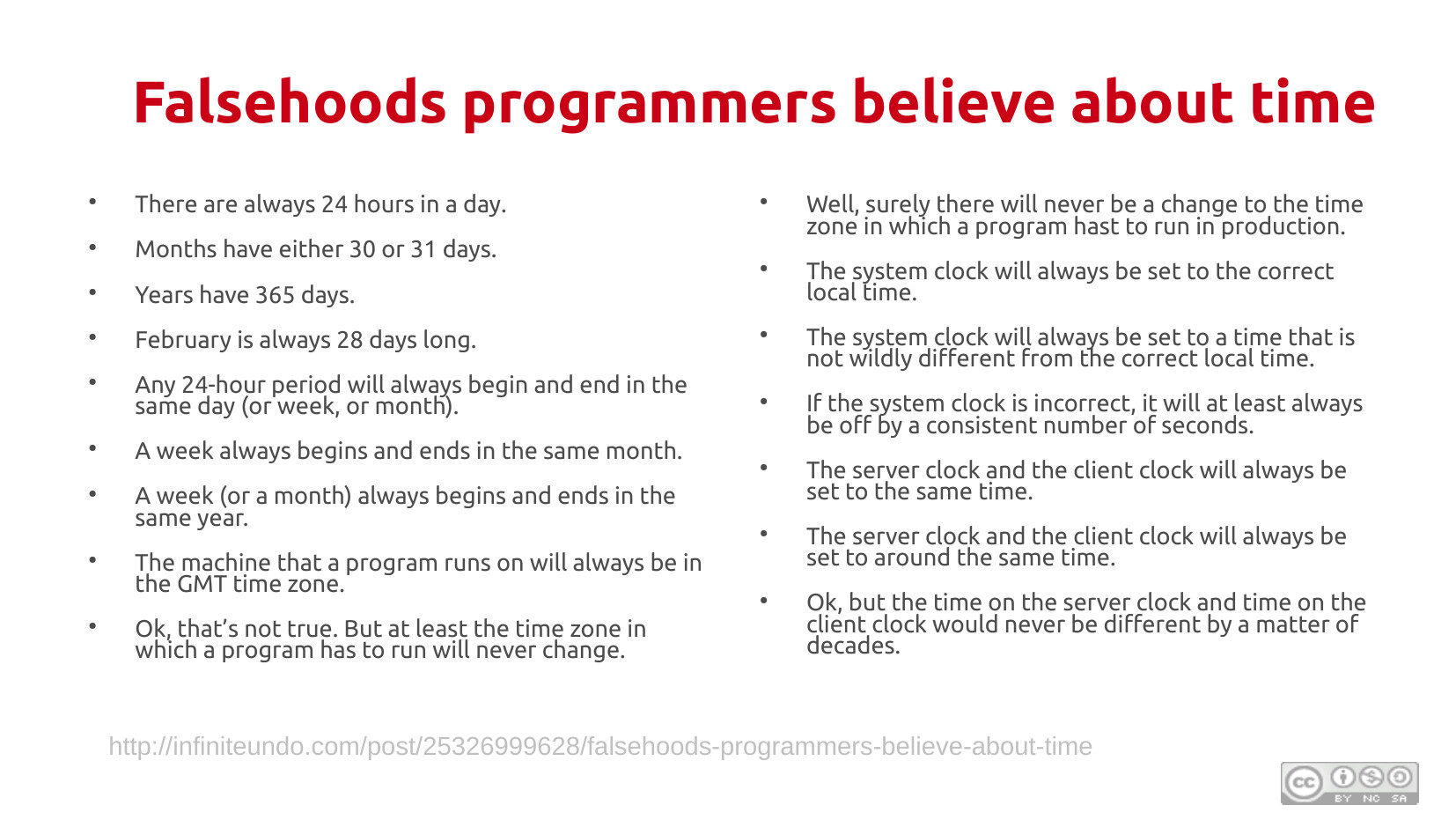
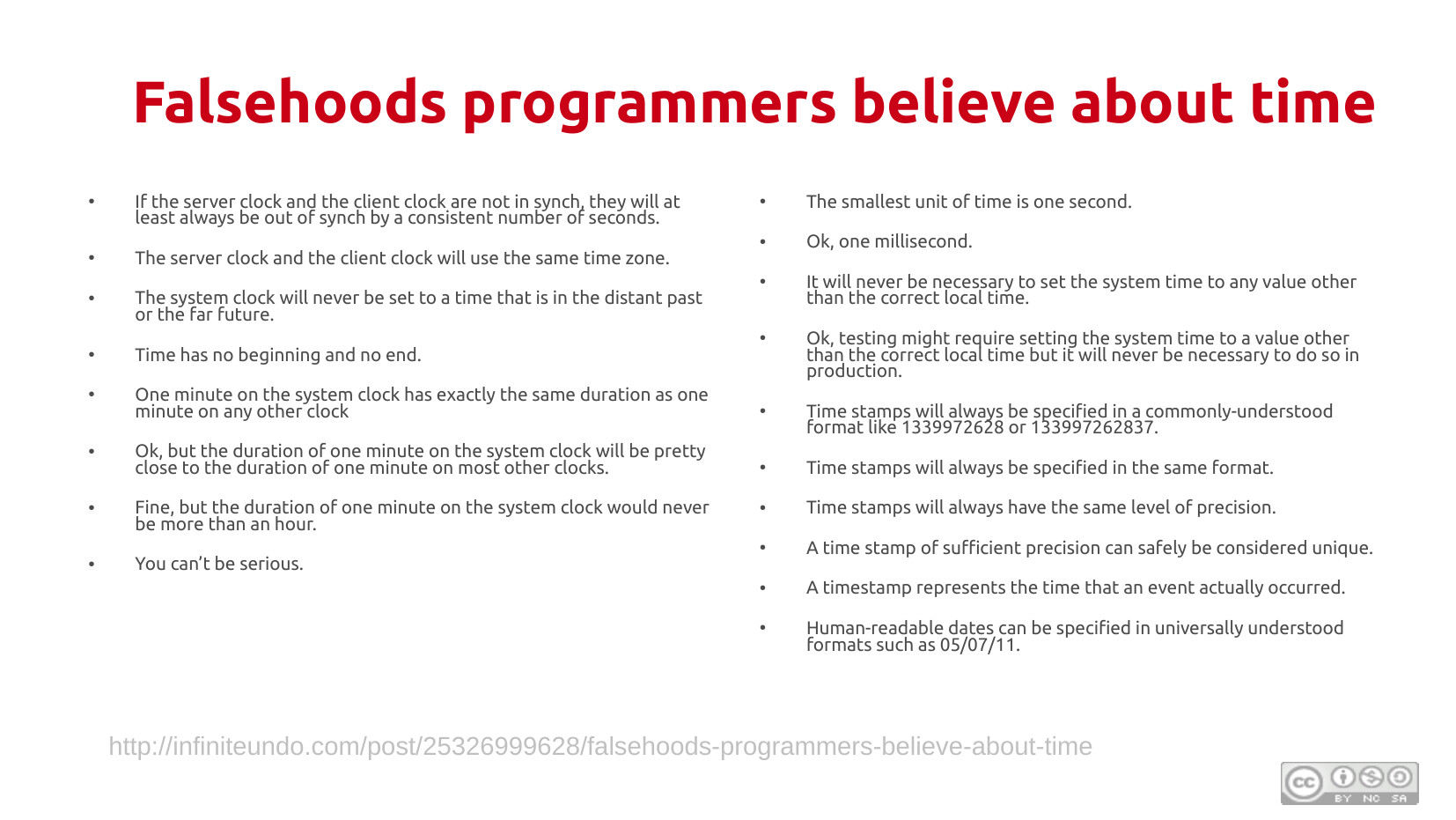 When I first came across this list, I nearly died laughing. The original content is still up, and even has a citable reference now. It is really worth spending time reading the whole thing, and some of the other ones that inspired it.
Why is time hard?
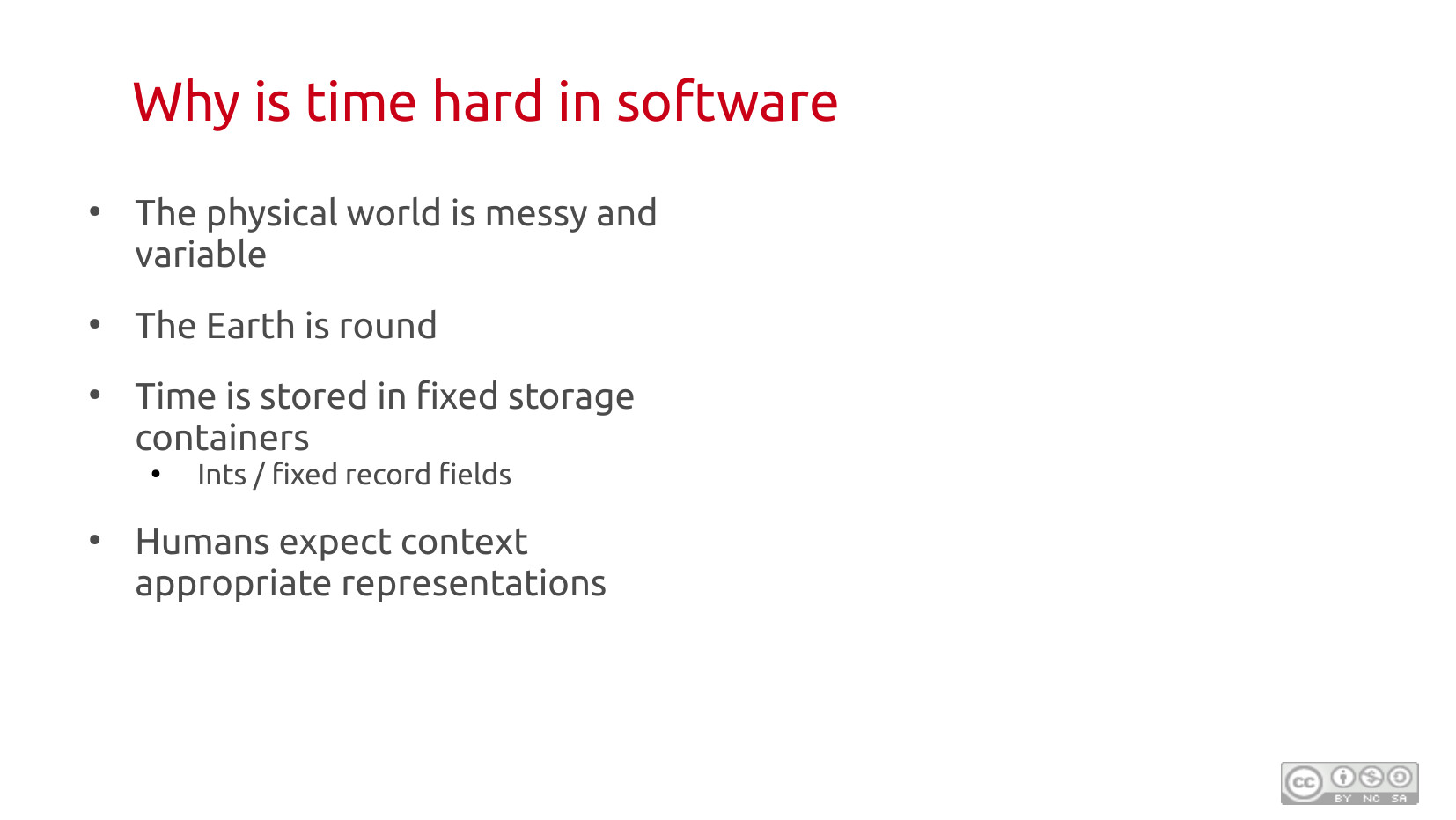 This gets to the crux of why I find this whole area fascinating. Time and software is a classic case of where your beautiful abstractions a ground down by that messy inconvenience of the world not really working that way. That interface between real world problems and digital approximations, and how we make it work, is the core of what software engineer is in my mind.
We live on this oblate sphereoid rock, that's spinning tilted, while whipping through space. The most natural concept that comes out of this is one rotation, a day. Except because of the tilt of the Earth, that doesn't even have the courtesy of being the same day over day!
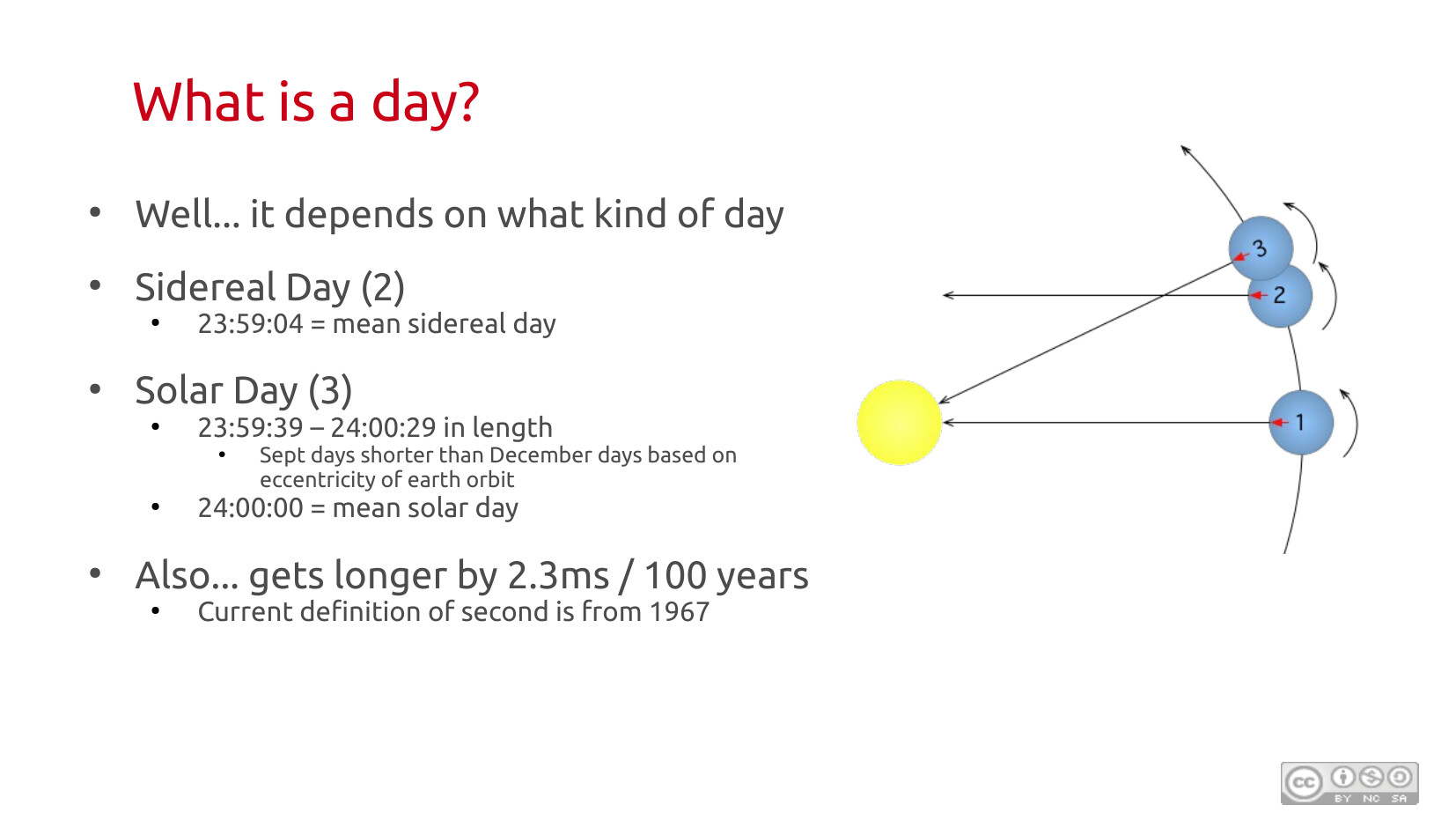 What even is a day!
This is a great question to pose to an audience that thinks they know the answer. It's when the sun comes up, it's when we pass midnight (also, how do you know when you pass midnight? under older time systems the day started a noon for this reason). But it seems like the simplest question that we should all know, and yet, it's more complicated.
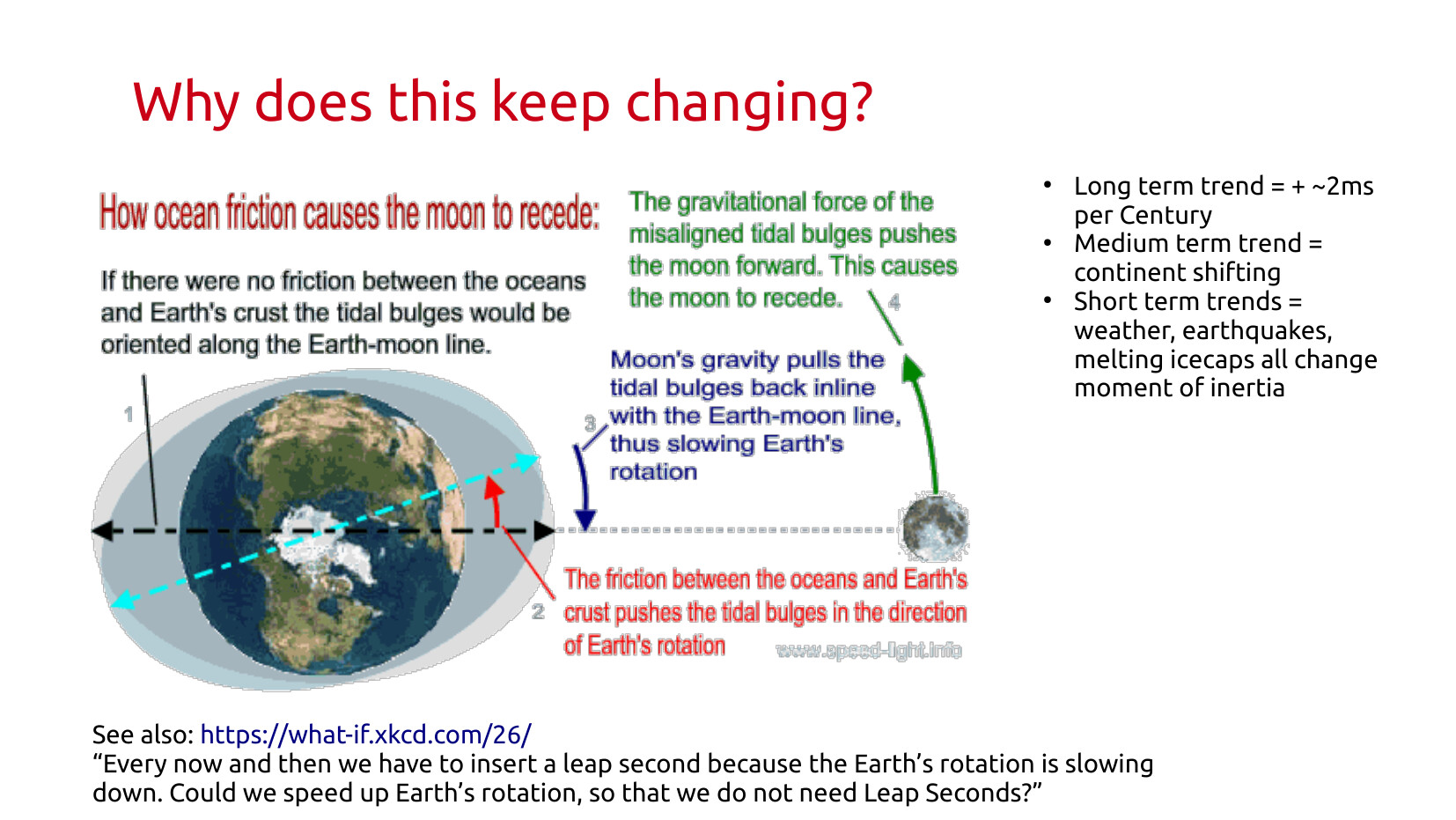
Also, we have this pesky problem that a day changes in length over time because the moon is slowing us down, and slowly getting further away at the same time. (Which has the interesting consequence that total solar eclipses will eventually not happen any more.)
 ## Patching Time
Ok, so how do we fix all these messy things about time not being nice and digital. Through lots of conditionals and exceptions.
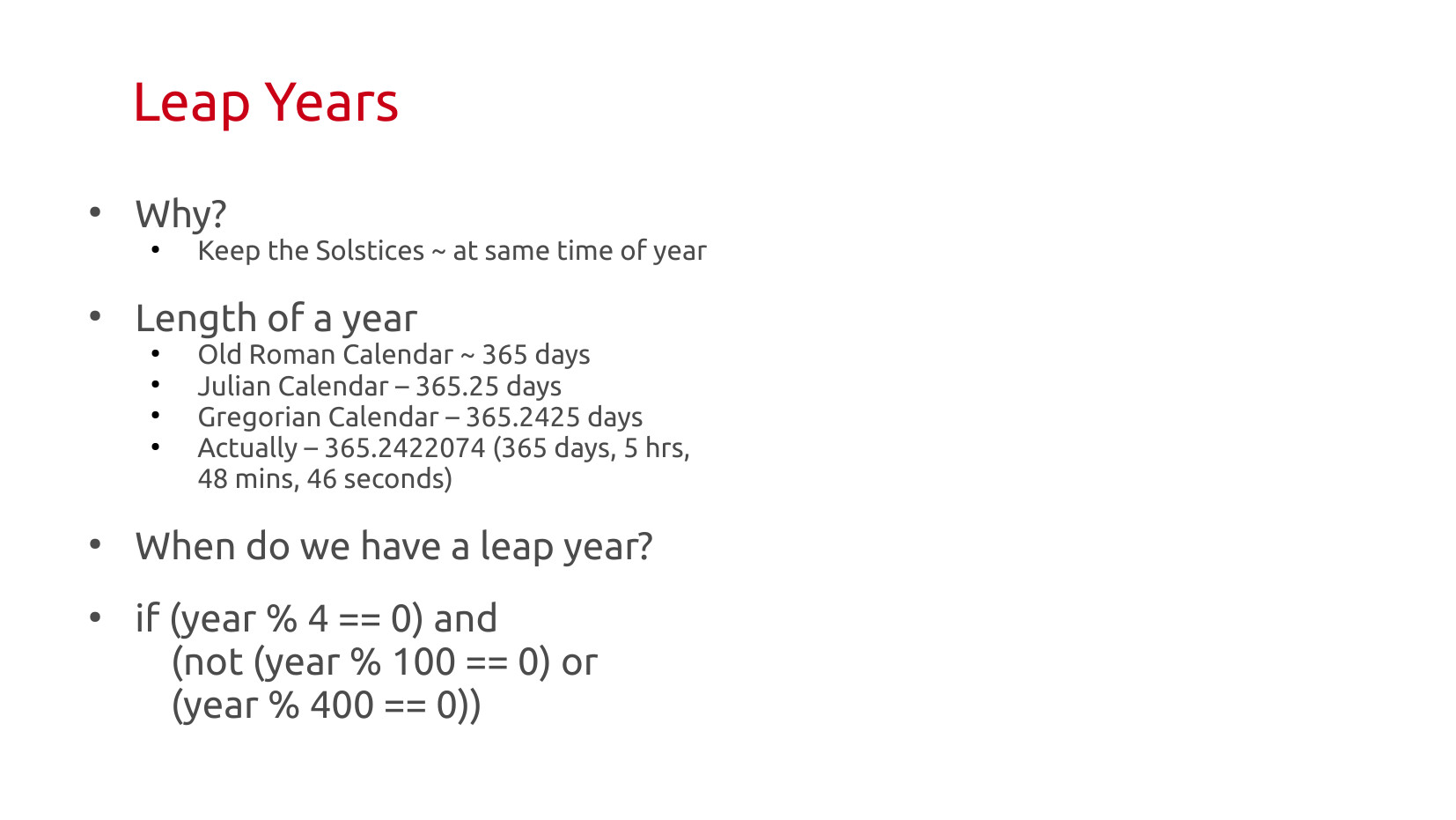 Leap years at the one everyone knows about. There are not 365 days in a year. It's a little more. But it's not exactly 1 every 4 years. Very few people know the actual formula (I can be so much fun at parties). It's only slightly less obscure than the formula for Easter.
The most interesting ramification of the leap year formula is that years divisible by 100 are not leap years, but those by 400 are. 2000 was a leap year because of clause 3. 2100 will not be.
2100 is an extreme edge test condition. Every piece of software ever written has not been field tested on a year like 2100. I am sure that most implementations of leap years don't include rule 2 and 3, because it didn't have to. When 2100 hits it's going to be a very interesting kind of mess.
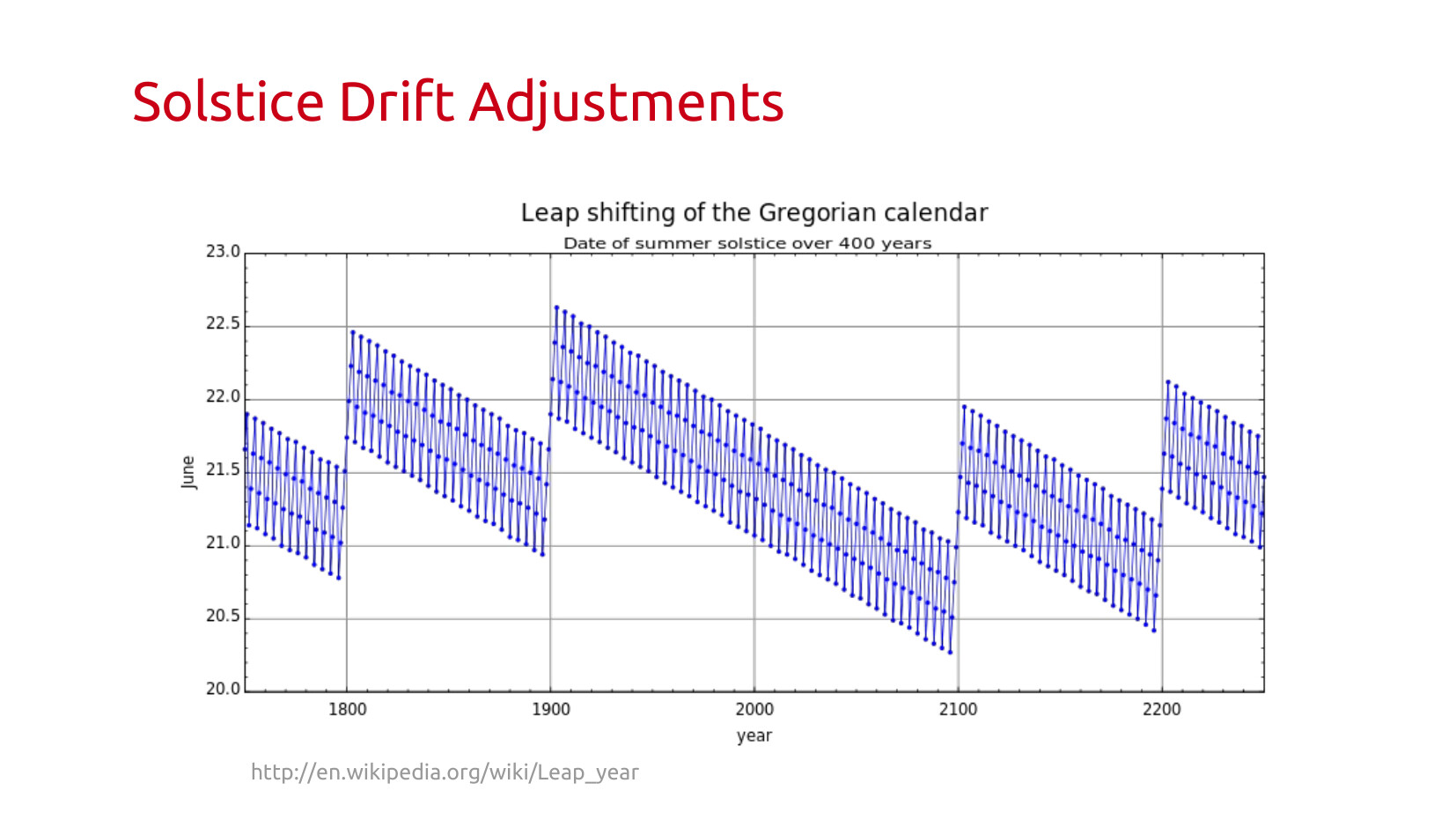 This graph is a wonderful visualization of how the timing of the solstice moves over hundreds of years, and why we need that complicated adjustment. Also why rule 3 needs to be there, otherwise we drift.
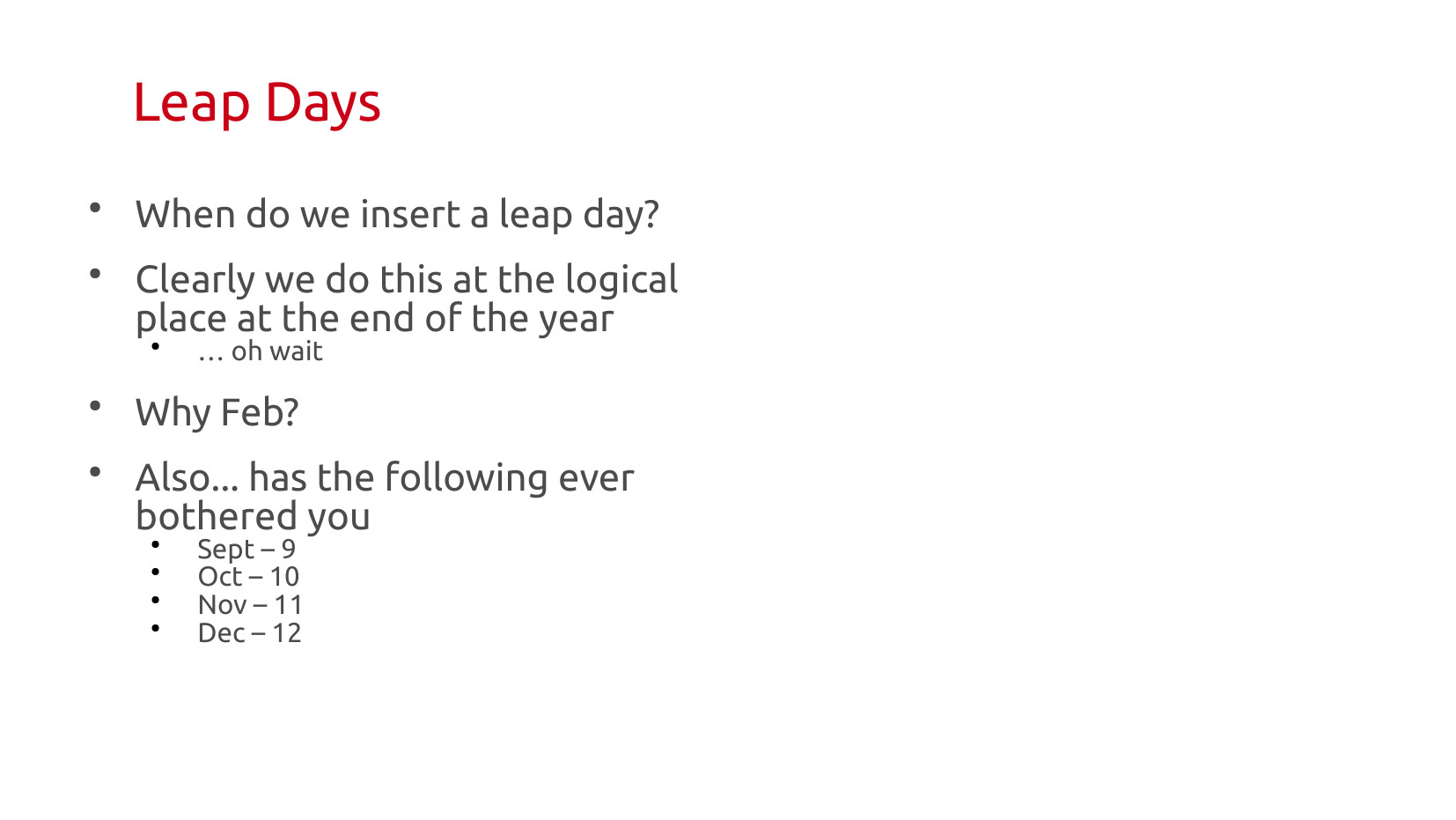 Cool, so we're good with leap year,s, it's a patch. So lets slap a day on the end of the year and be done with it.
So, we add it to Feb.... WAT. Funny story, that used to be the last month of the calendar. A curious person might be wondering why we have months that sound like 7, 8, 9, 10, but are numbered 9, 10, 11, 12. Those are exactly the kinds of messy failed abstractions, and cultural archaeology, that I find interesting. They give us hints as to past decision making.
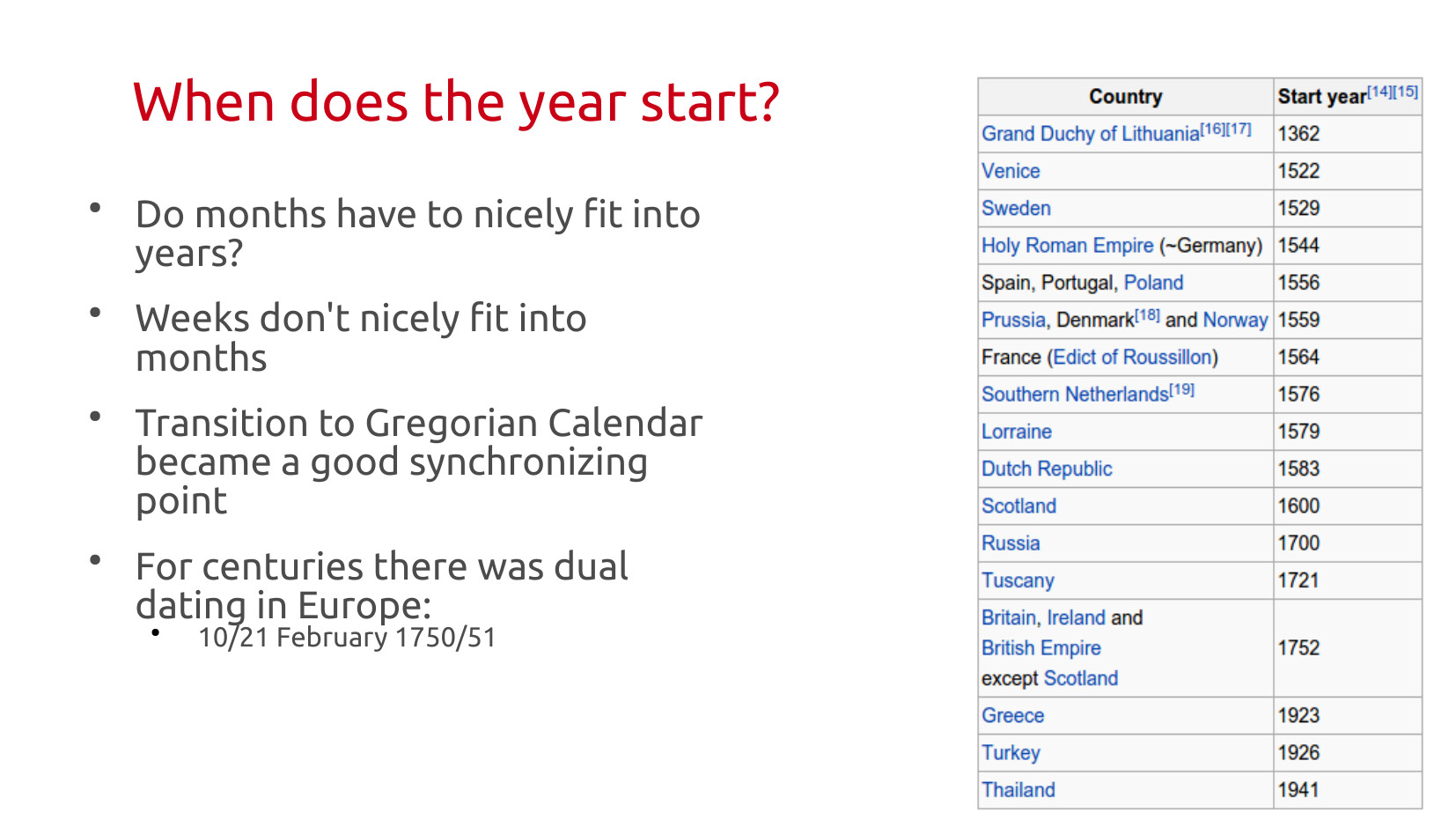 The fact months are weird shaped, some are 10% shorter than others (which I need to constantly point out when Product folks say things like "let's do the easy thing and give them X per month"), weeks are a bundle of days that don't fit into months. Also, we had this whole problem of accounting leap years wrong for over 1000 years, that needed fixing.
The biggest software patch rollout in the history of humanity, synchronizing the year, took over 500 years. It required the adoption of a new Calendar. And when that new Calendar was adopted most governments switched the beginning of the year to Jan 1 at the same time. But it did mean over centuries you ended up with dual dating of events in Europe using both the new & old days, and new and old years (for Jan/Feb).
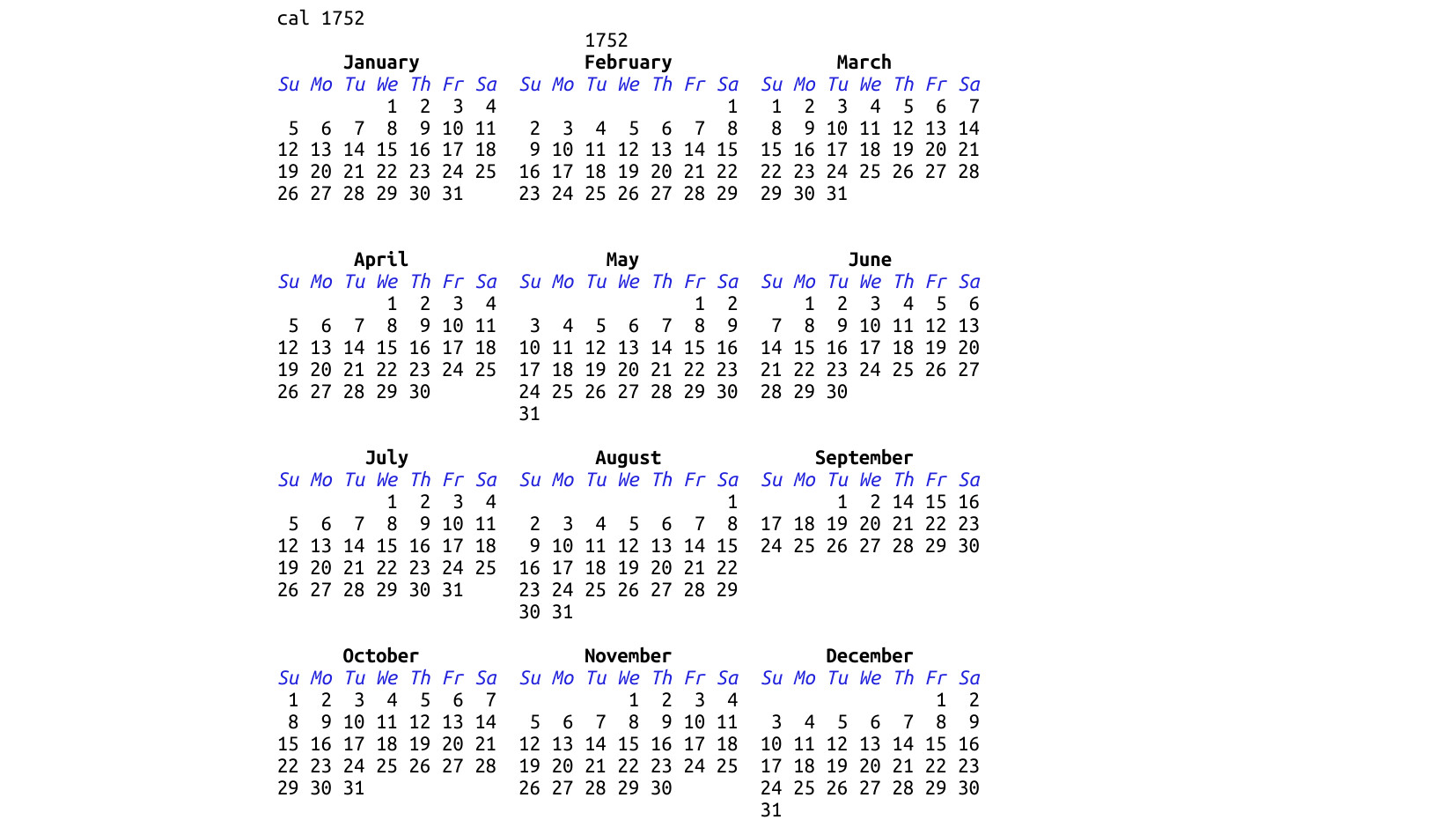 The standard UNIX tool cal... has this in there! It's such a neat and unrequired level of accuracy for almost all tasks, but I salute the software engineer that wanted to make this correct in the event someone needed to calculate the number of days in 1752.
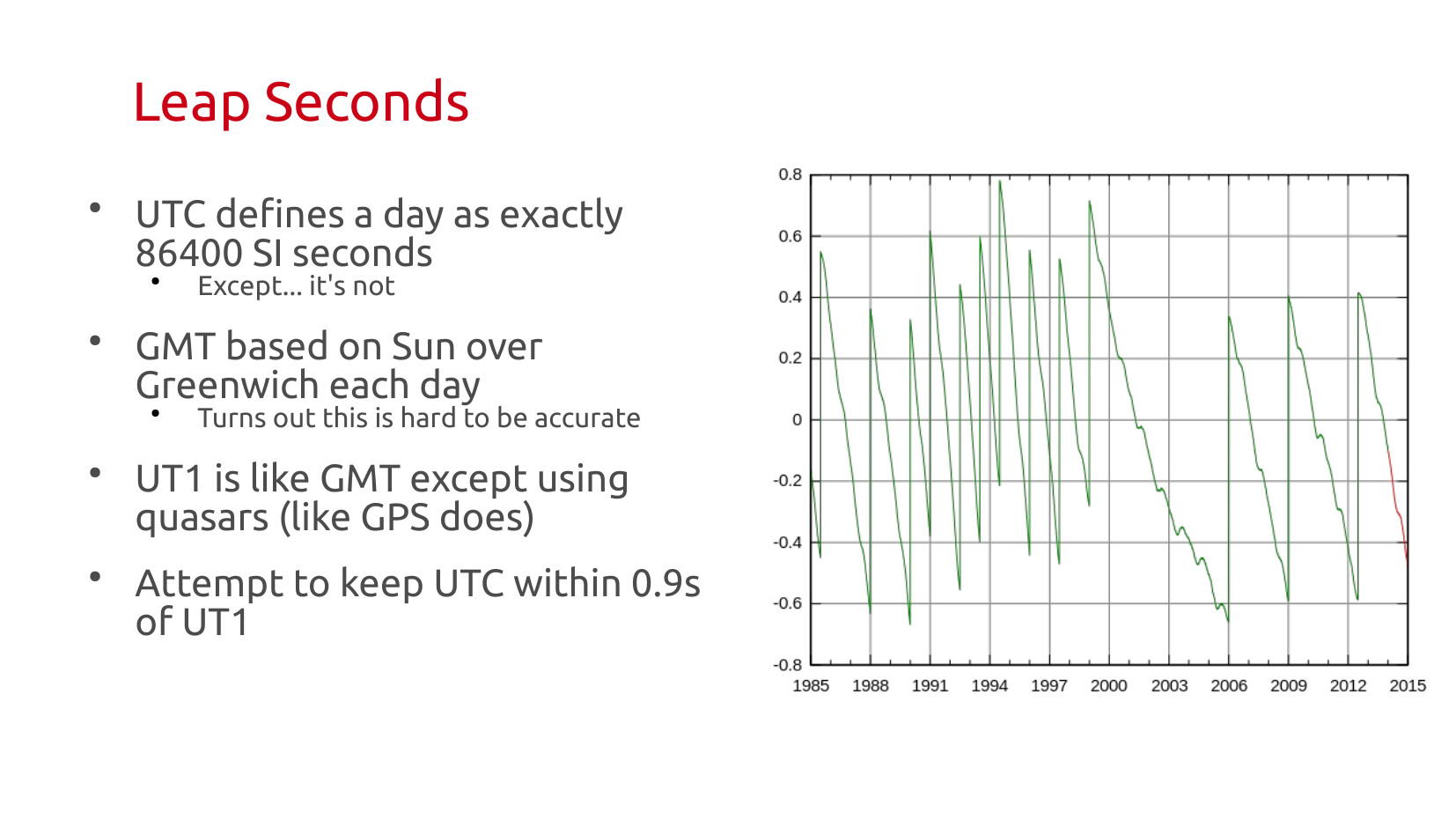 So, we have the big patch. Leap days, but it also is inconvenient that the day isn't actually 86400 SI seconds. Why? Because we've gotten so good and so accurate at measuring time, we can now see those fluctuations. The Earth is this big crazy messy thing. Water evaporates, moves around in cloud systems, changes rotational speeds when that happens. Earth quakes jump us around a bit. And in general the second we standardized is just a little too short, and it drifts down over time.
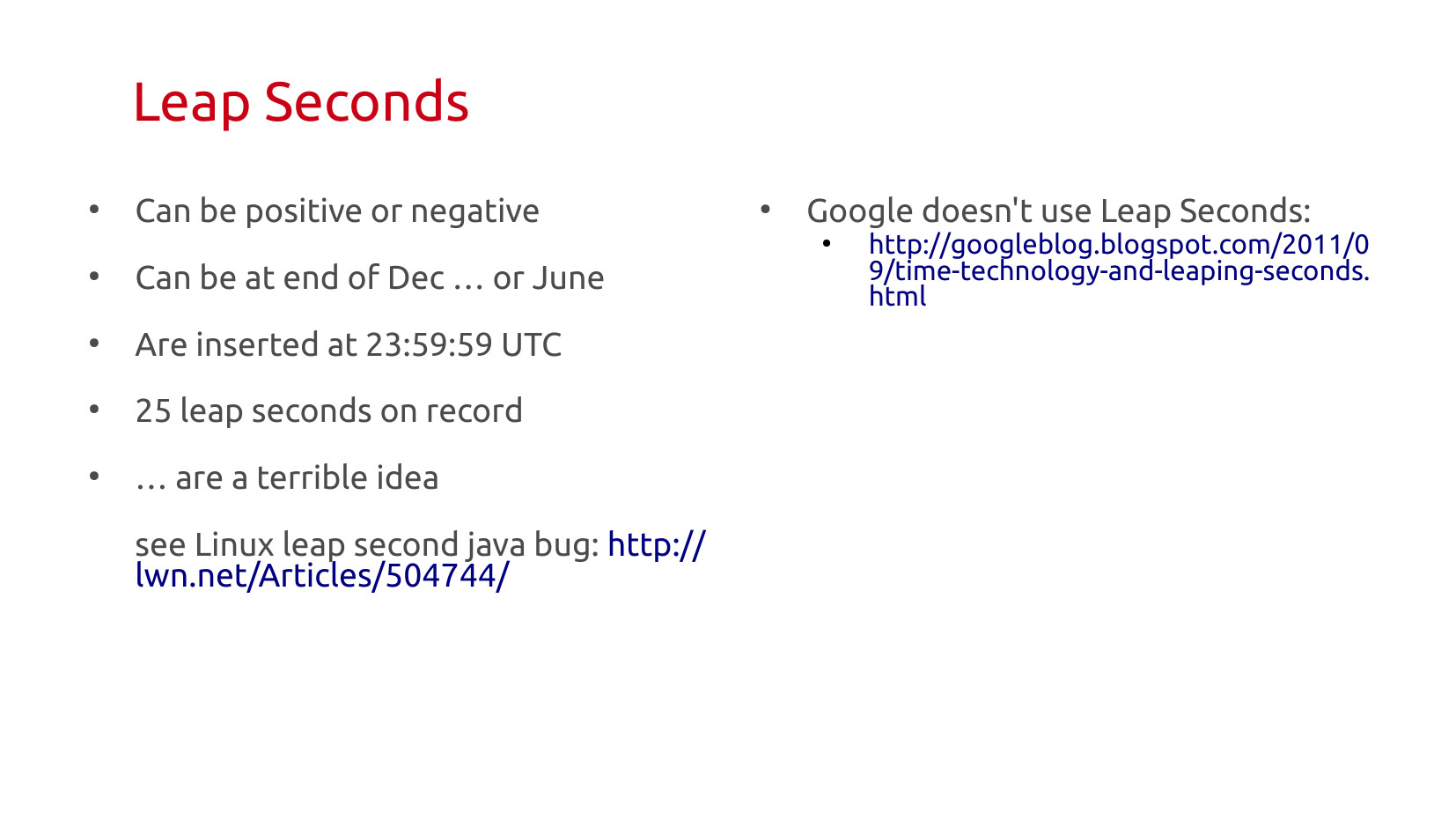 Leap seconds can be positive or negative by the spec. As the entire full consequence of long term shift wasn't understood, you need to give yourself freedom of movement (this might become important soon). Leap seconds can be in Dec or Jun, they are inserted at UTC time, because you need them to happen everwhere all at once, which means leap seconds happen at 7 or 8 pm in the US.
It's so complicated to get right, and as a thing that only happens every few years, is easy to get regressions between field tests, there is a lot of push to eliminated it.
Update (2026): climate change and leap seconds. The melting of the ice caps is changing the rate of speed of the earth, slowing it down (mass is shifting from poles to the equator). So we either need to eliminate leap seconds or start doing negative ones.
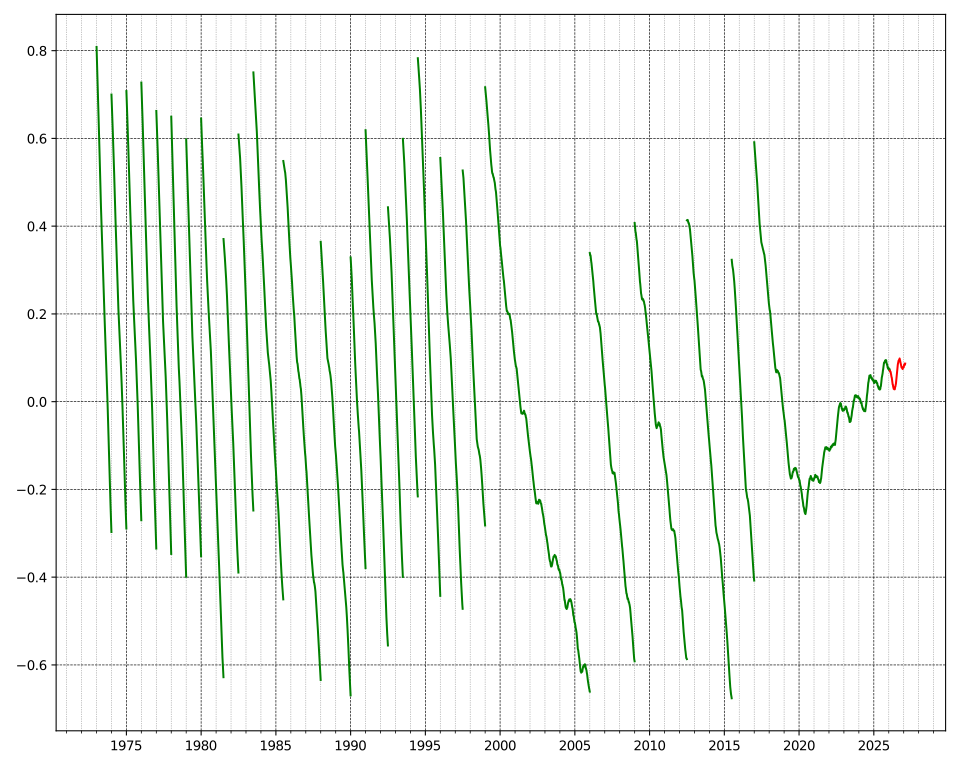 And here is the part where software and time really collide. Yes, negative leap seconds are in the spec. But no one implements software to spec. They implement it to working to ship, and then it's out the door. Much like the 2100 leap day bug, a negative leap second probably causes major challenges with worldwide communication systems.
When does time Begin?
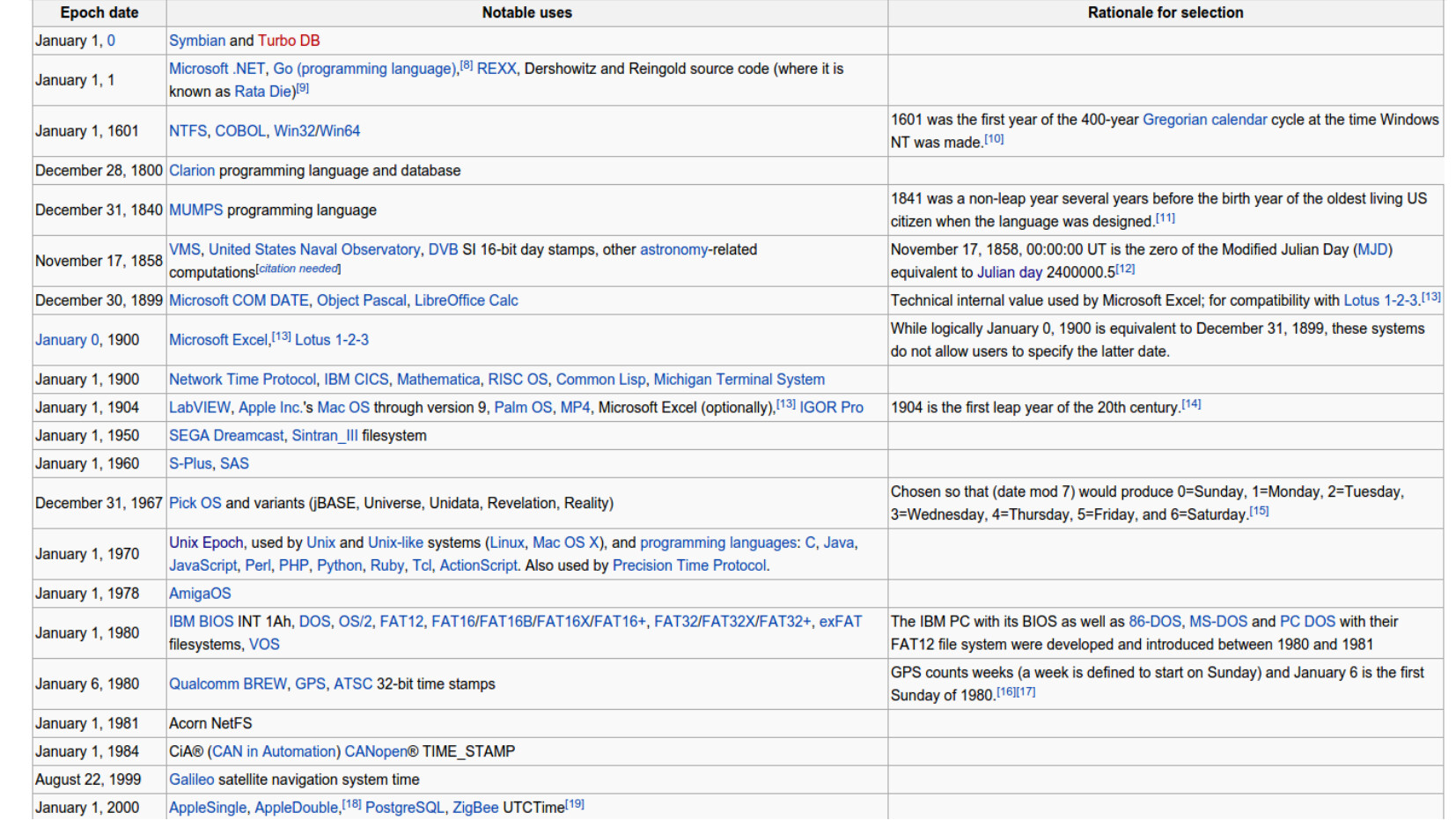
Computers count things. And to count anything you need to know where 0 is. Surely this is a well understood? Surely we've all picked reasonable starting points? Surely there is general agreement?
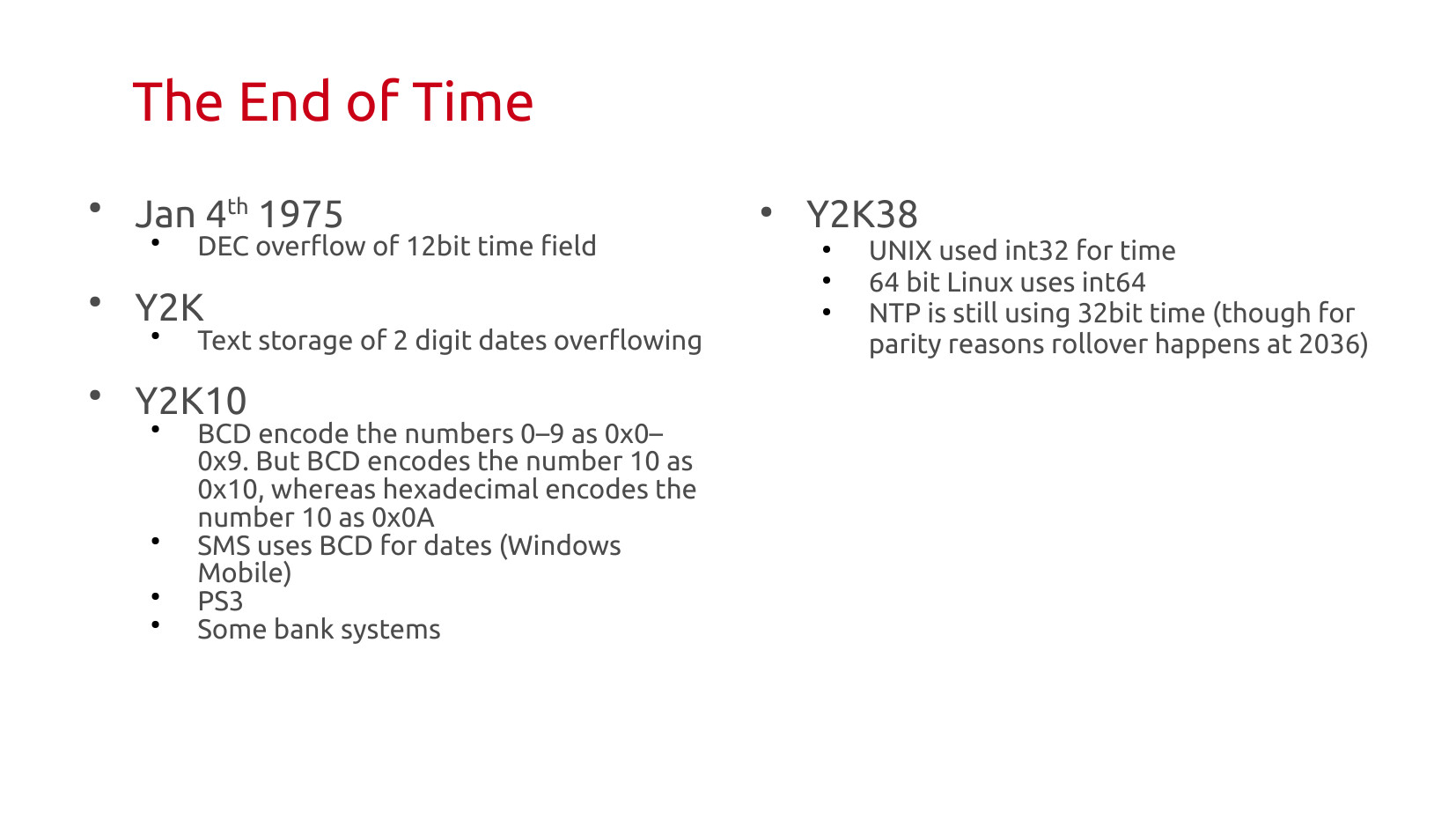
Yeah, well, no. The table below gives you many of the fun options different systems have chosen for counting. The Unix Epoch is probably the most well know of these for anyone in tech. If you've ever seen Dec 31, 1969 show up somewhere oddly, that's a consequence of an uninitialized UNIX time.
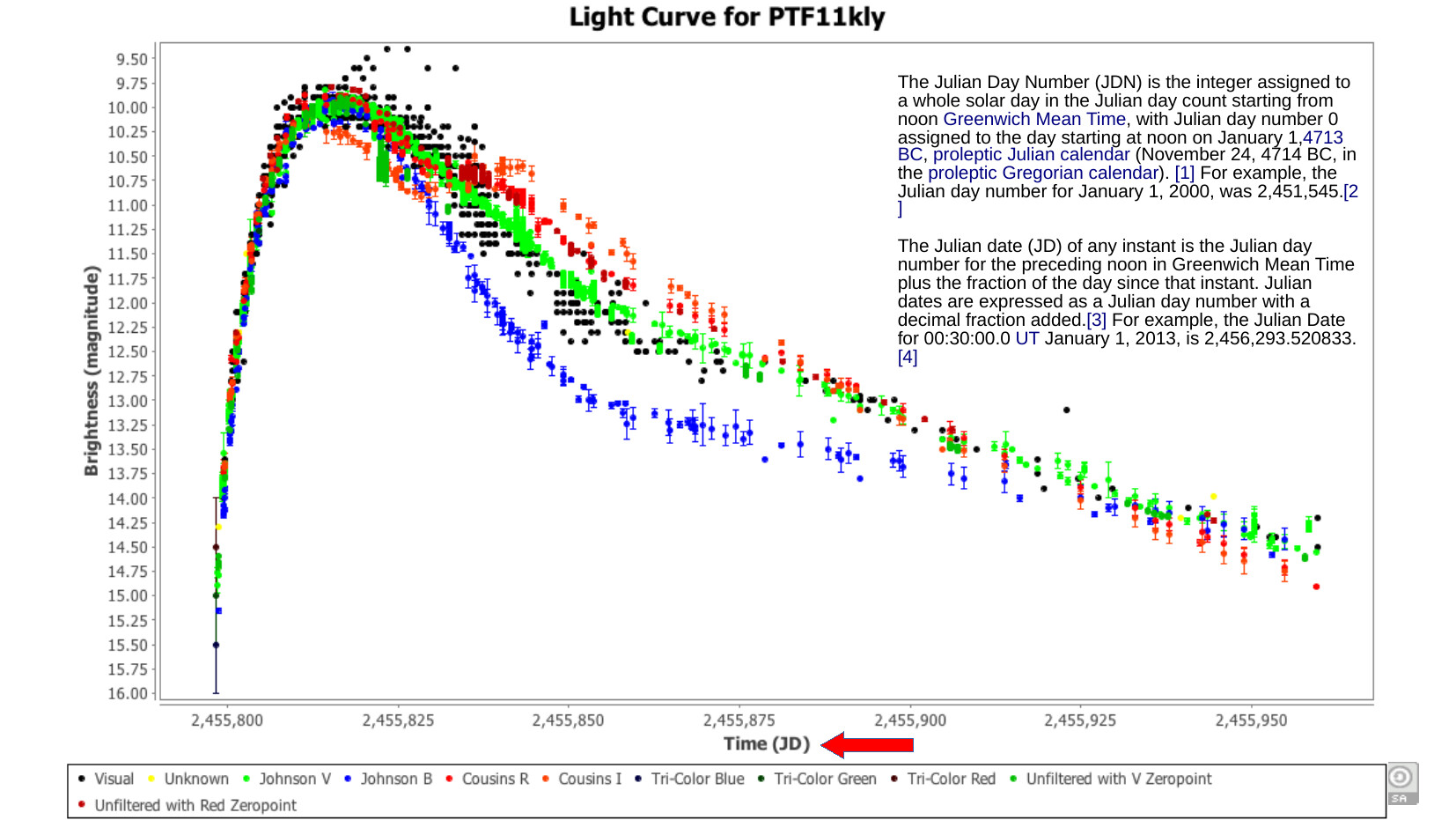
 I did amateur astronomy for a while. Astronomy has a time system called JD, which is a Julian Day count with 0 a few thousand years ago. Also, the day rolls over at noon. This is incredibly useful to have something that's both this long, and with it's own count that ignores things like years. We have all these historical brightness records of variable stars (lots of stars aren't fixed brightness), and these help us understand stellar phenomenon.
 If time has a beginning, then it must have an end, right? This is especially true given that we encode this in computer fields that have limits.
The most well known of these events was Y2K. But we're about 12 years out now from a big rollover event with Y2K38. That UNIX epoch time was originally stored in a 32bit integer. This size limitation got fixed in Linux over a decade ago, when it moved to 64bit processors. But computer systems last longer than people imagine, so this whole thing is going to be a mess.
More messy, the protocol we use world wide to synchronize clocks has a rollover event in 2036. It was originally unsolved at the time of this presentation, though looks like there is a 64bit solution there now as well.
 ## Dividing Time
Computers don't feel any special way about time. Humans do. There are hours of the day we expect the sun to be up. We expect the night to be at other times. For the longest time noon was set locally, town by town, based on when the sun was overhead. Big clocks at the center of town would show the time.
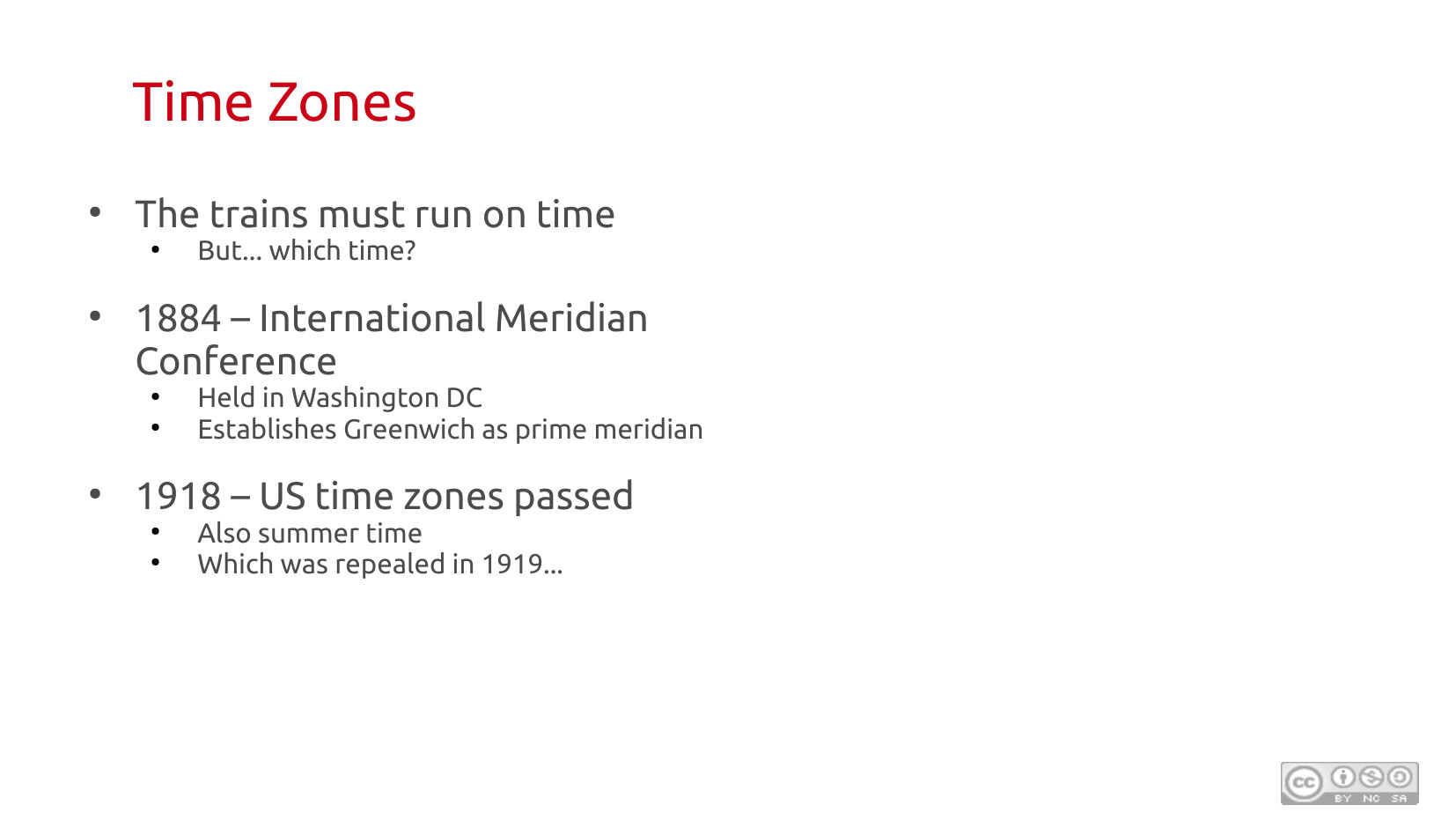
When humans moved slow, that was easy. Then we invented trains. They moved pretty quick. But also, to get between places in a predictable way, they needed some kind of time standard. A businessman traveling from NY to Boston couldn't be constantly changing his pocket watch back and forth 7 minutes. And have to forget if his watch was on NY or Boston time.
So time zones were constructed. Binning the world into largely hourly buckets (though not always).
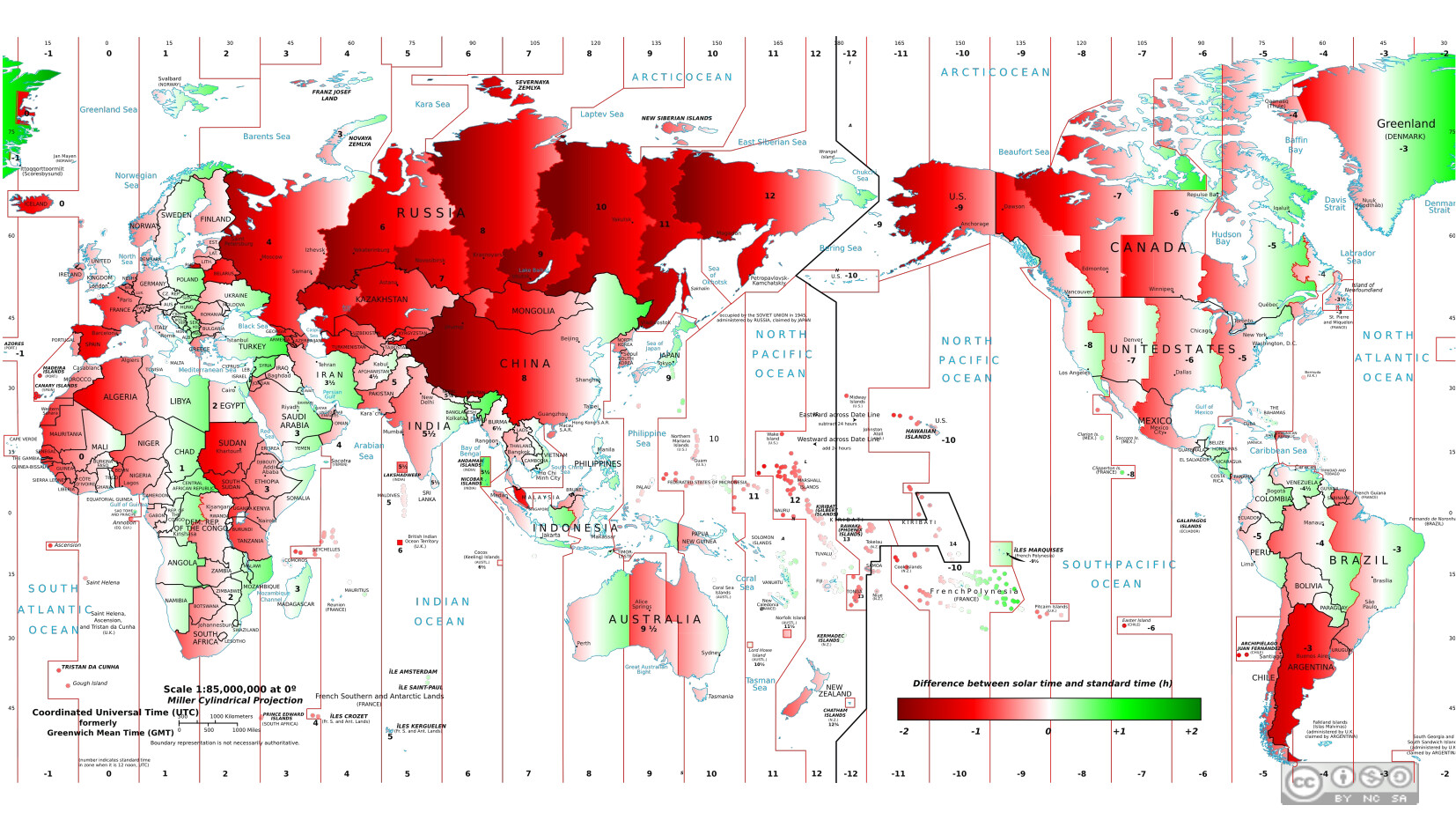
 By the very nature of binning time, you end up with anomalies. Places where inside the timezone noon comes too early or too late. Because people like evening hours, the time zones mostly bias that direction, seen in all the red.
 One would imagine that something as universal as time zones, and as important for computers to get right, would have been a vast international effort. Unless, of course, you work in software, and understand the world looks more like this classic XKCD comic than you really hoped:
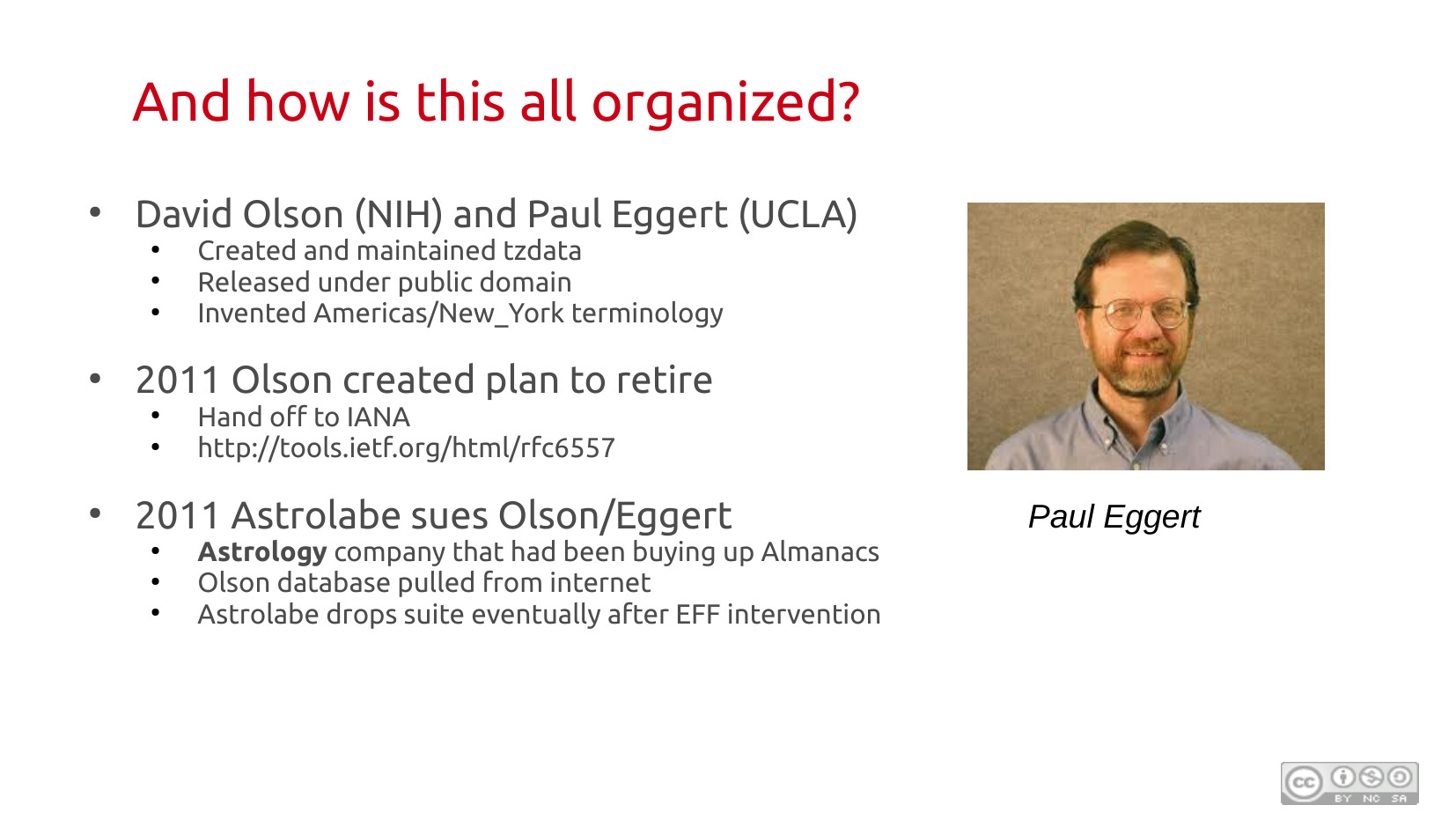
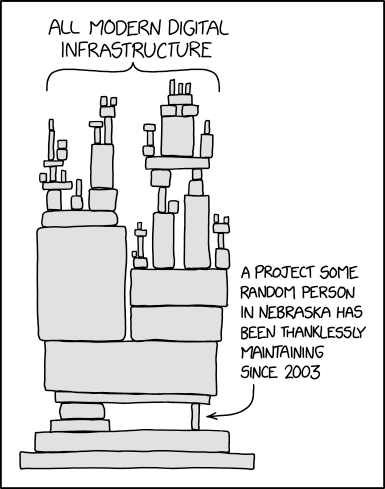 Historical note, this is a tribute to exactly the tz database, Paul Eggert was born in Nebraska.
So two guys that were interested in the problem fully invented computer timezone system, including the naming convention we all use, because they found it interesting. It was a part time thing they did for decades mostly through reading old almanacs. It got embedded in basically every computer in the world.
Eventually they were smart enough to realize their hobby project was such essential infrastructure it needed a succession plan to a standards group. They started that process in 2011. Then a predator VC company that was buying up old Almanacs sued them for copyright violation, threatening to destroy the whole system. Fortunately, this was resolved. But man was that an interesting time to be alive.
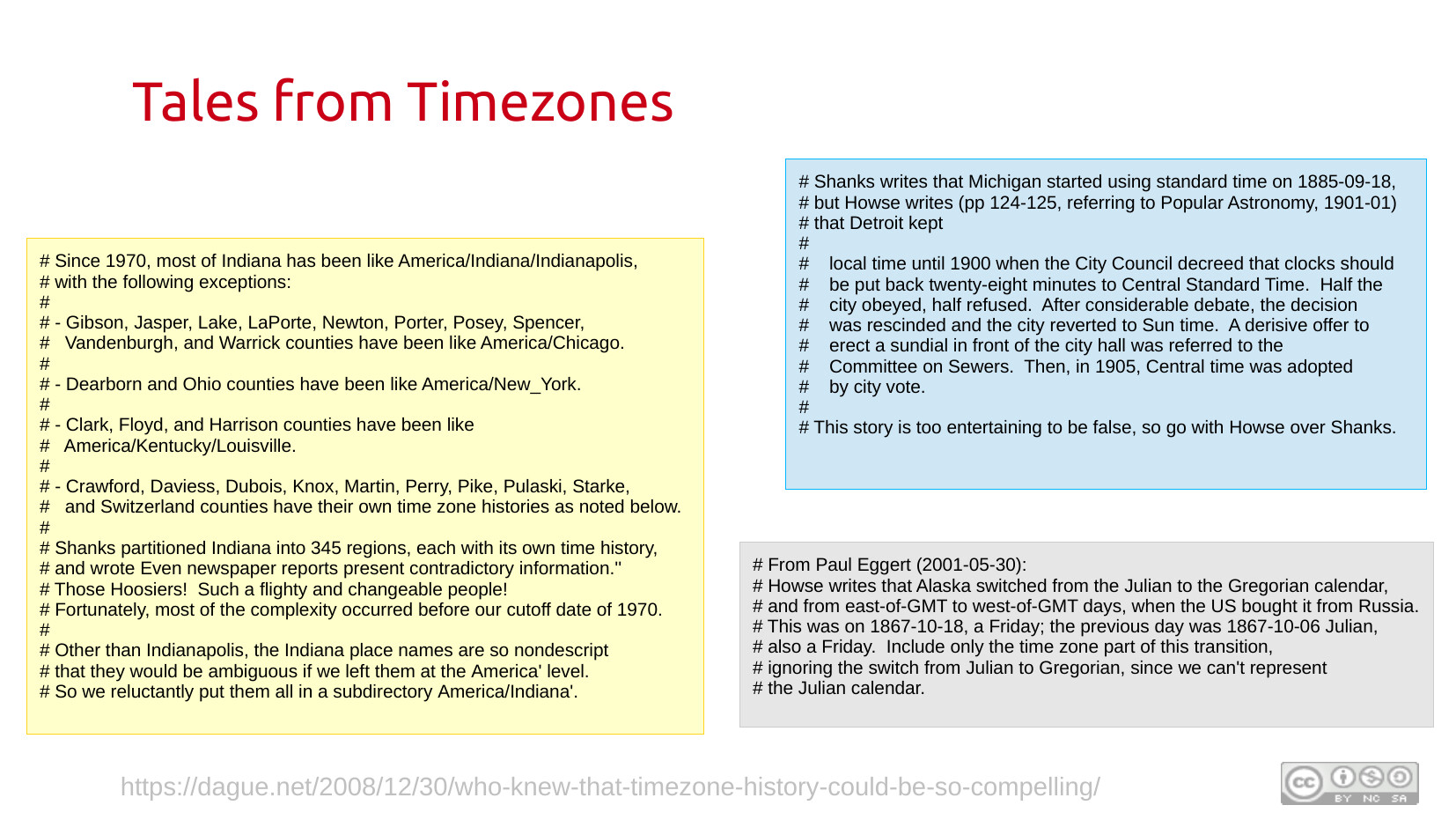
 One thing I so appreciate Olson and Eggert for, is they weren't just compiling a list of time zone data. In their source files they have detailed commentary on how they got to the data. And they write this up with a dry wit and wonder. These are some snippets from it. But I've encouraged folks over the years to go to this source and read through it themselves.
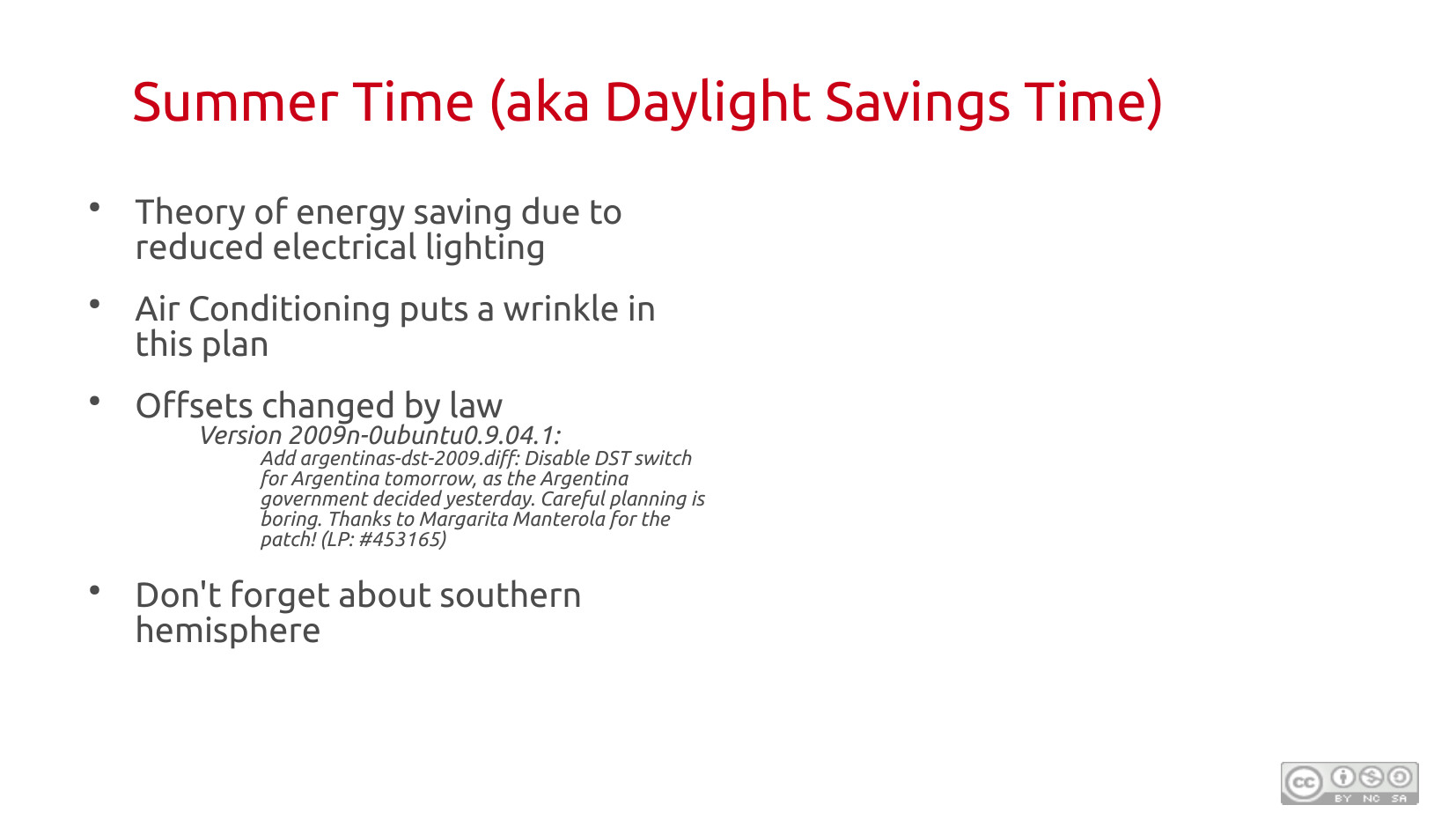
 Because of the whole tilt of the earth thing, and the fact that we've established a cultural work day of 9 to 5, as you go further north you run into the issue that in the summer you get a lot of hours of daylight at culturally unuseful times, like 4am.
In the early 20th century lots of countries instituted summer time (aka Daylight Savings Time), to shift that culturally unuseful 4 or 5 am light block into evening at 8pm where it was more useful. The big push here was not Ag (as people get told) but the outdoor recreation industry, baseball and golf.
Lot's of excuses were made on energy savings. It's one of the reasons the US extended summer time by 4 weeks in 2005. Which being the first change in US timezones in 35 years, was ill supported by software. But when it was actually studied because of the deployment of AC so widely in the US, this probably actually used more electricity than it saved.
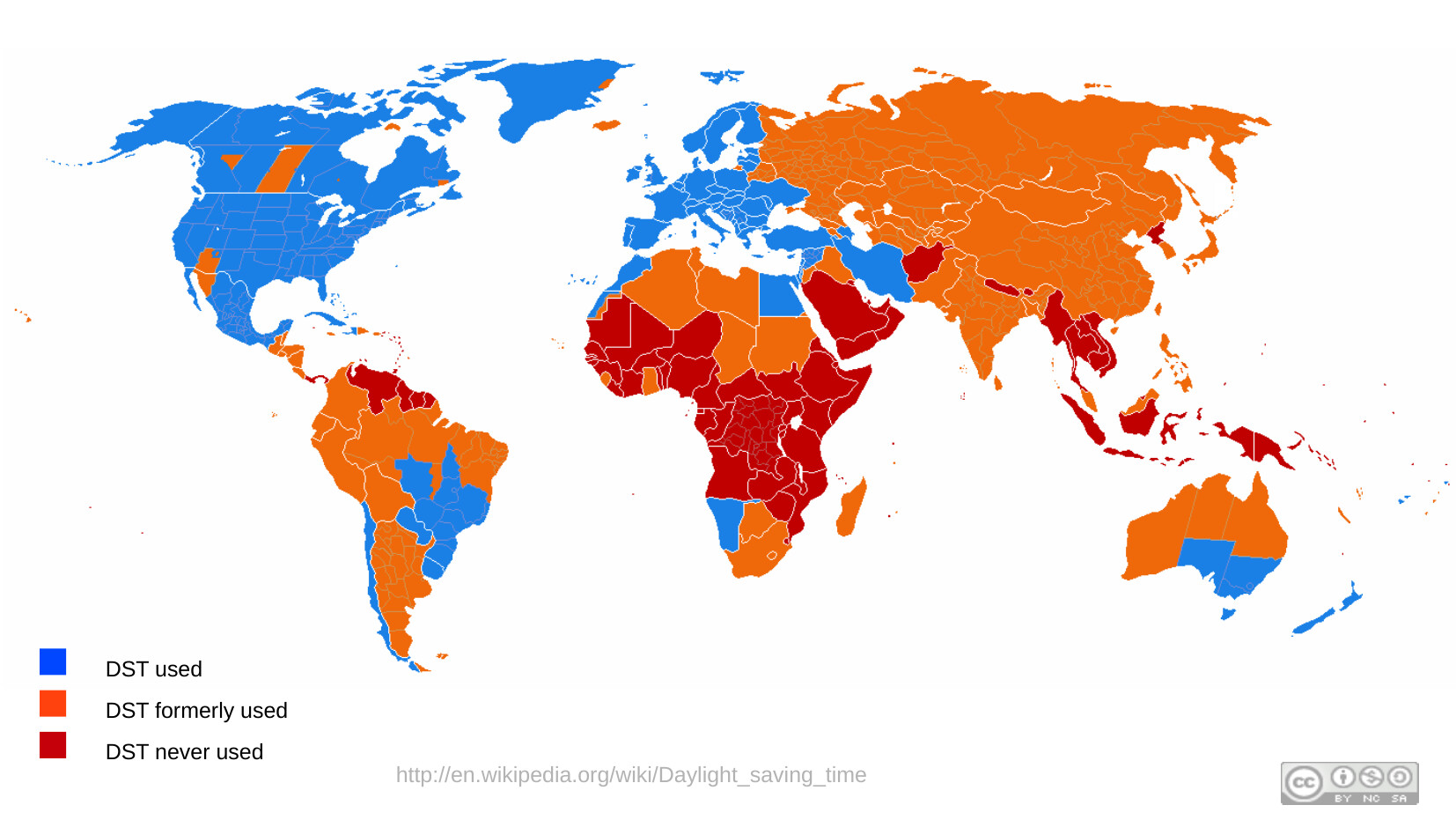
Lots of countries have abandoned summer time. Lots of people hate it, and want to stop switching. The US did that in the 1970s oil crisis, and people hated it more than switching. So we're probably stuck with it for a while.
Also, remember all of this is political, so often times changes will get made by act of law, that are retroactive! Fun for software systems to catch up.
 ## Exchanging Time
As much as I love time, I love calendars. And am hopelessly dependent on them. If it's not on my calendar, it does not exist. My wife and I have a complex google calendar setup that includes different ones for: me, her, school activities, family activities, and... you get the picture. I managed websites where they were fundamentally about posting events, and I wanted to figure out how those nicely, natively, got into people's calendars.
There is an exchange format for calendaring. It's called icalendar. It was invented about 12 seconds before the internet became a thing, so looks so foreign to our world. It was invented by Lotus and Microsoft to exchange meeting invites across their incompatible otherwise system. It is an RFC, so you can read the standard in full.
For years I was the maintainer of the ruby library for this format, which I took over when I was trying to make it so that ruby on rails could correctly send multipart/mime emails that included the calendar representation, so that my email announcements would auto add to people's calendars.
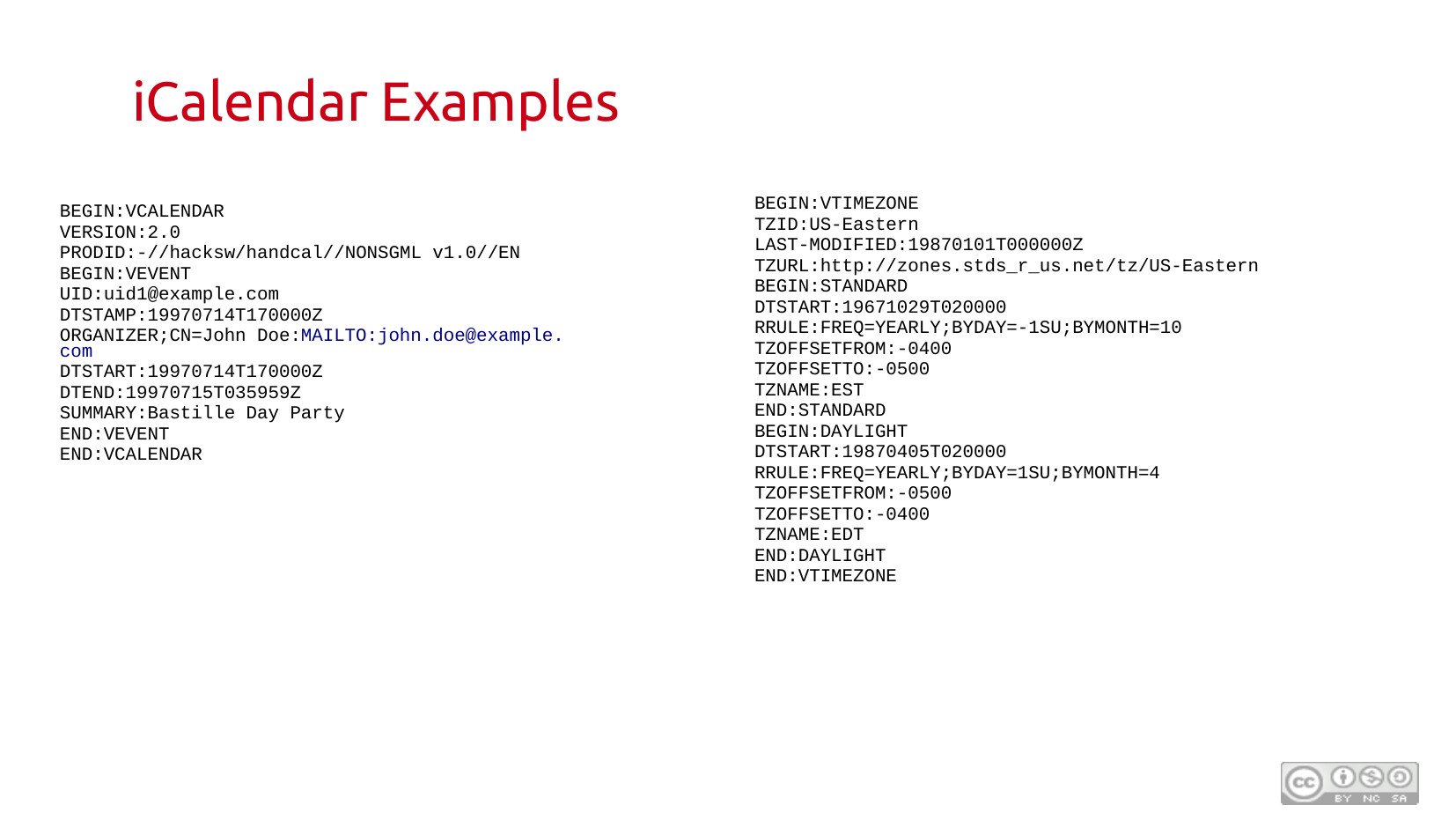
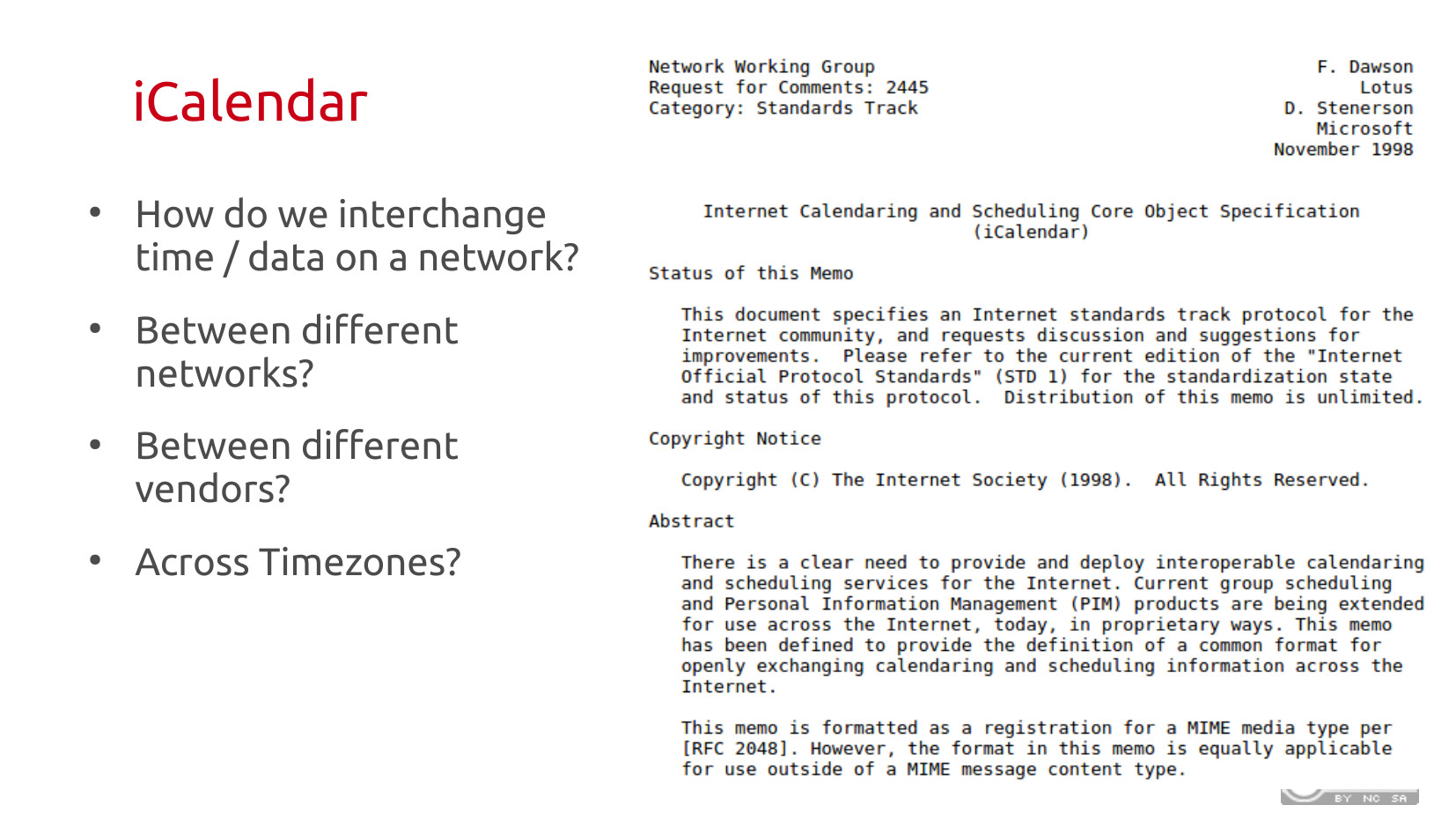 iCalendar uses fixed record formats with this begin and end markup that feels very mainframe-esqe. Also, because Time Zones were not a standard (see above), you need to inline embed all the logic of your timezones, including how different time shifts, like summer time, are going to work in your timezone.
There is a recurrence rule grammar, so you can express things like every Tuesday, or the 3rd Thursday of the month (or the last (-1) Friday of the month). Basically all the rules you need to compute most major holidays. The recurrence logic is not sufficient to encode Easter, you just have to calculate it yourself.
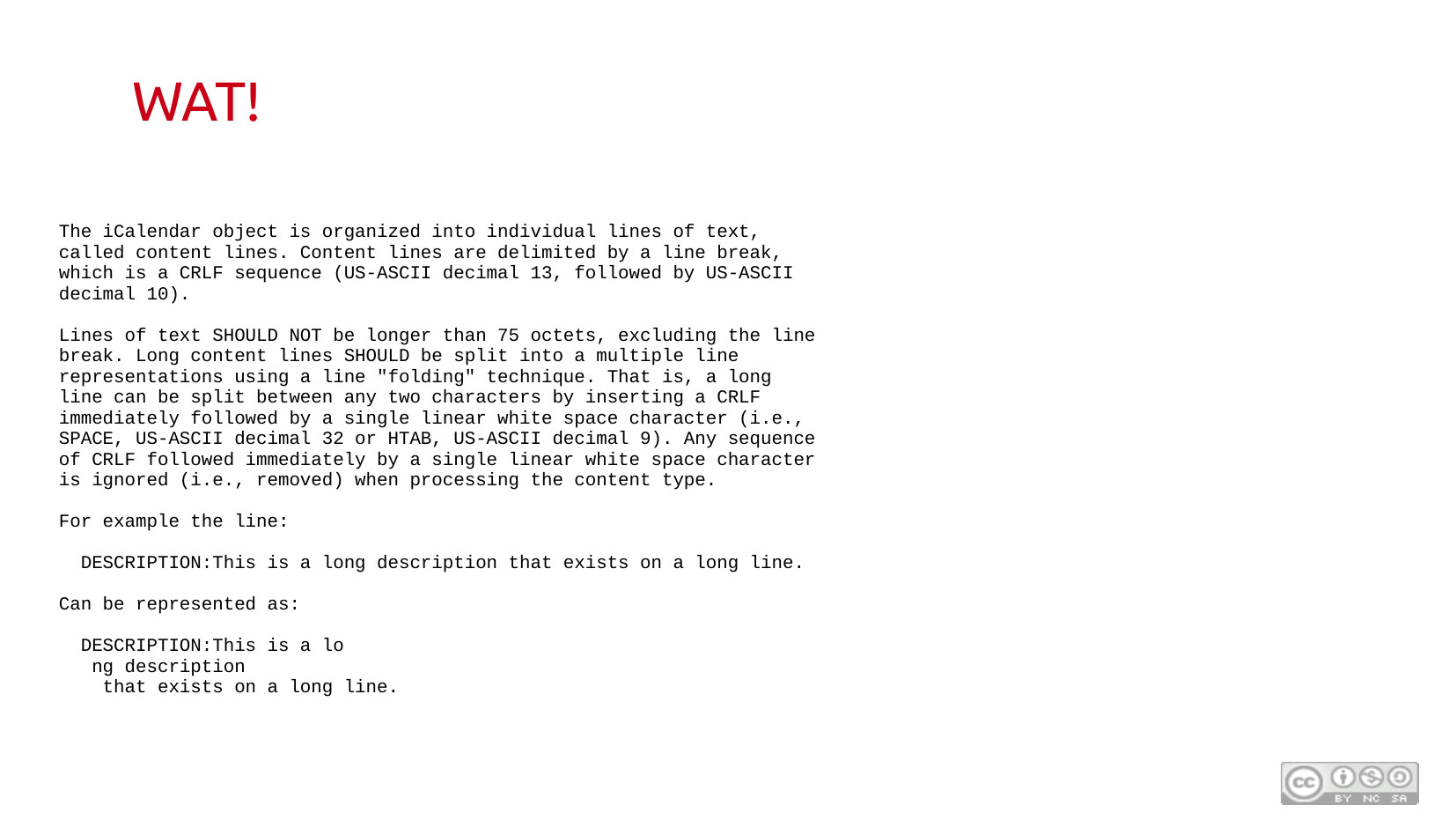
 The part that drives me bonkers on the standard is line wrapping, which is so unintuitive. iCalendar has a 75 column width. So if you want to put in large blocks of text you have to do the most bizarre line wrapping I've ever seen. All the software does this, that's why it works to send GMail invites to Outlook. But man is it odd.
 ## Dragons Everywhere
All of this is hard. Especially so given that most of this was made in the late 20th century, before we did this thing like rolling over a century boundary. Perl in the 1990s returned a 2 digit year from it's standard library. Not because it was the last 2 digits, but because it was the number of years since 1900.
Plenty of small websites displayed the year as 19100 on Y2K. There are dragons everywhere, read the docs carefully.
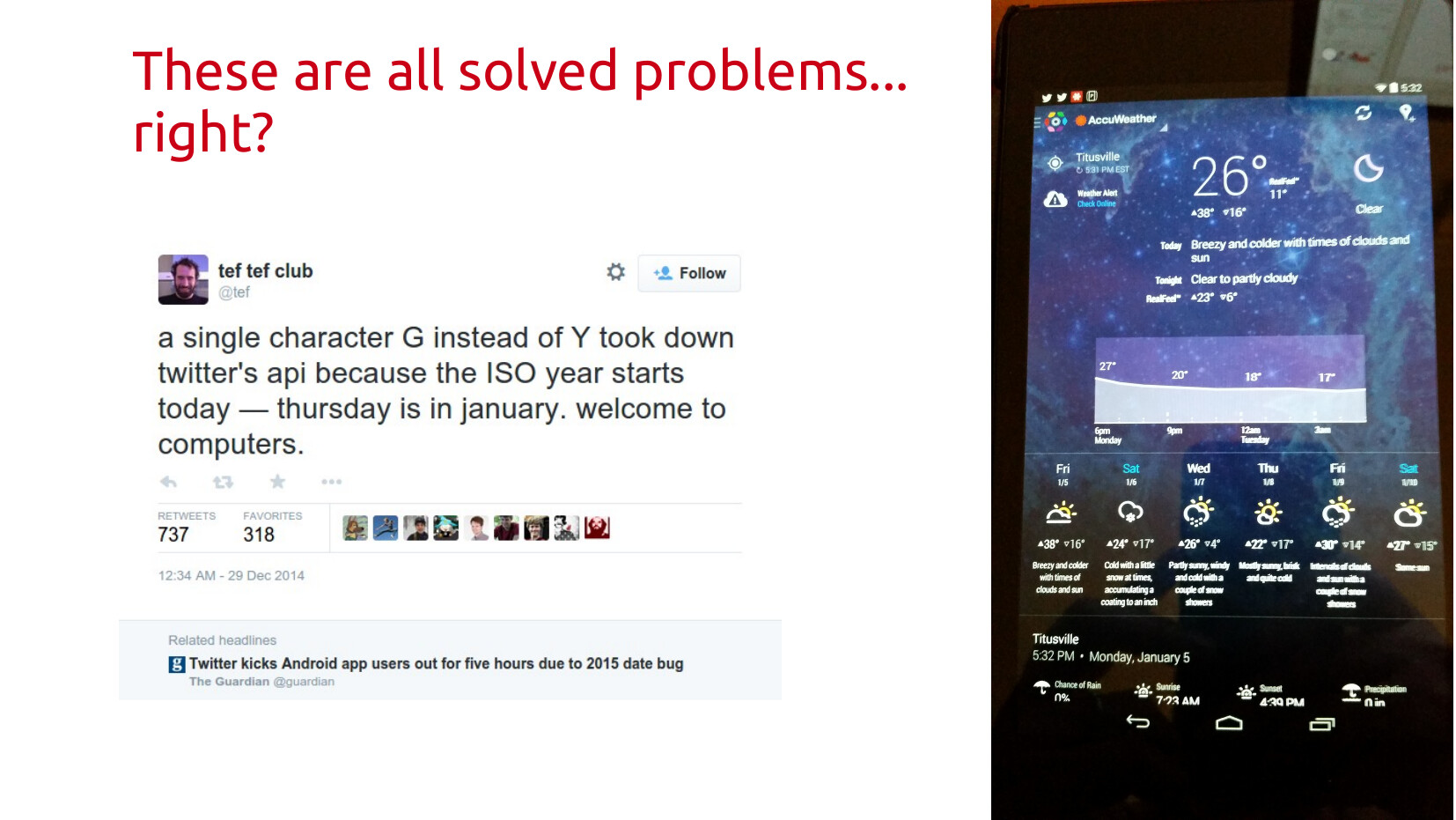
You would think these were solved problems. They are not. In a world where most software is barely working shippable software, you end up with bugs everywhere. Like this fun one based on picking the wrong format string for the year.
 What I wanted people to take away from all of this was: it's always more complicated than you think. Making complex systems work under vast real world constraints is hard. The real world is not a crystal palace abstraction, it messy, human, political, and needs to bend to cultural expectations.
Time in software is a perfect distillation of that collision. And one that people can often relate to because how important it is in their lives that time works correctly.
Hope you enjoyed! Maybe one day I'll do this as a talk again for a live audience, but until then it's at least out here on the internet.
 </div>
Site migration
A quick update. After years on Wordpress I took the time, with some code assistant tools, to migrate the site out into a static hosting. I only bothered to migrate posts that had seen some reasonable traffic in the last 3 years (based on Wordpress stats). So most, but not all of the old content is here.
A few pages still have missing images from series of migrations and dead content they were pointing to. Some of that I could recover from the wayback machine. But not all. As this is a static site, comments aren't available, but they weren't ever used that much. You can always get in touch at the places you can find me.
I'm going to try to write more frequently again. I realized there are lots of things that happened over the past few years that are worth a post: our journey to getting off fossil fuels at home, my various experiments and configurations for home assistant, climate work write large, and an occasional work and life update.
Project Chapel

PBS just put up a new documentary on installing the IBM Quantum Computer at RPI. I was very involved with this effort, and helped make it a success. Lots of the folks that are in this documentary are folks I meet with regularly, including much of the RPI team. So this documentary is extremely meaningful to me.
I also think it provides a pretty reasonable overview on Quantum Computers to the non expert. So give it a spin at your local PBS station, on their app, or live on PBS.org.
Summer Gazpacho
I learned to love gazpacho when working summers at the Warren Store in the Deli. Before that, the idea of cold soup was completely unknown to me. There we'd make gazpacho 5 gallons at a time, and it would go pretty quick. Our deli gazpacho was chunky, hand cut, and that's the way I tended to like it from that point on.
My family has different ideas. My wife will do chunky gazpacho, but my daughter straight vetoed it a couple of years ago. Which means stick blender to the rescue.
It also means that prep time is a lot less, because you can stick blend pretty big chunks. It also means, instead of using 4 cups of store tomato juice, I can dice up another 2 lbs of heirloom tomatoes, and it comes out so much better.

This is a modified Moosewood's Cookbook Gazpacho
- 3 lbs large ripe tomatoes, diced
- 1 cucumber, peeled and seeded
- 1 bell pepper, seeded
- 1/2 cup chopped onion
- 2 cloves of garlic
- 3 tablespoons of olive oil
- 2 tablespoons of red wine vinegar
- 1 tablespoon of honey
- Juice of 1/2 lemon
- Juice of 1 lime
- 1 teaspoon of salt
- 1/2 teaspoon of ground black pepper
- 1 teaspoon of dried basil
- 1 teaspoon of dried taragon
- 1/2 teaspoon of cumin
- chopped fresh parsley
Combine it all in a bowl then blend to mix. Chill for at least an hour.
The results:
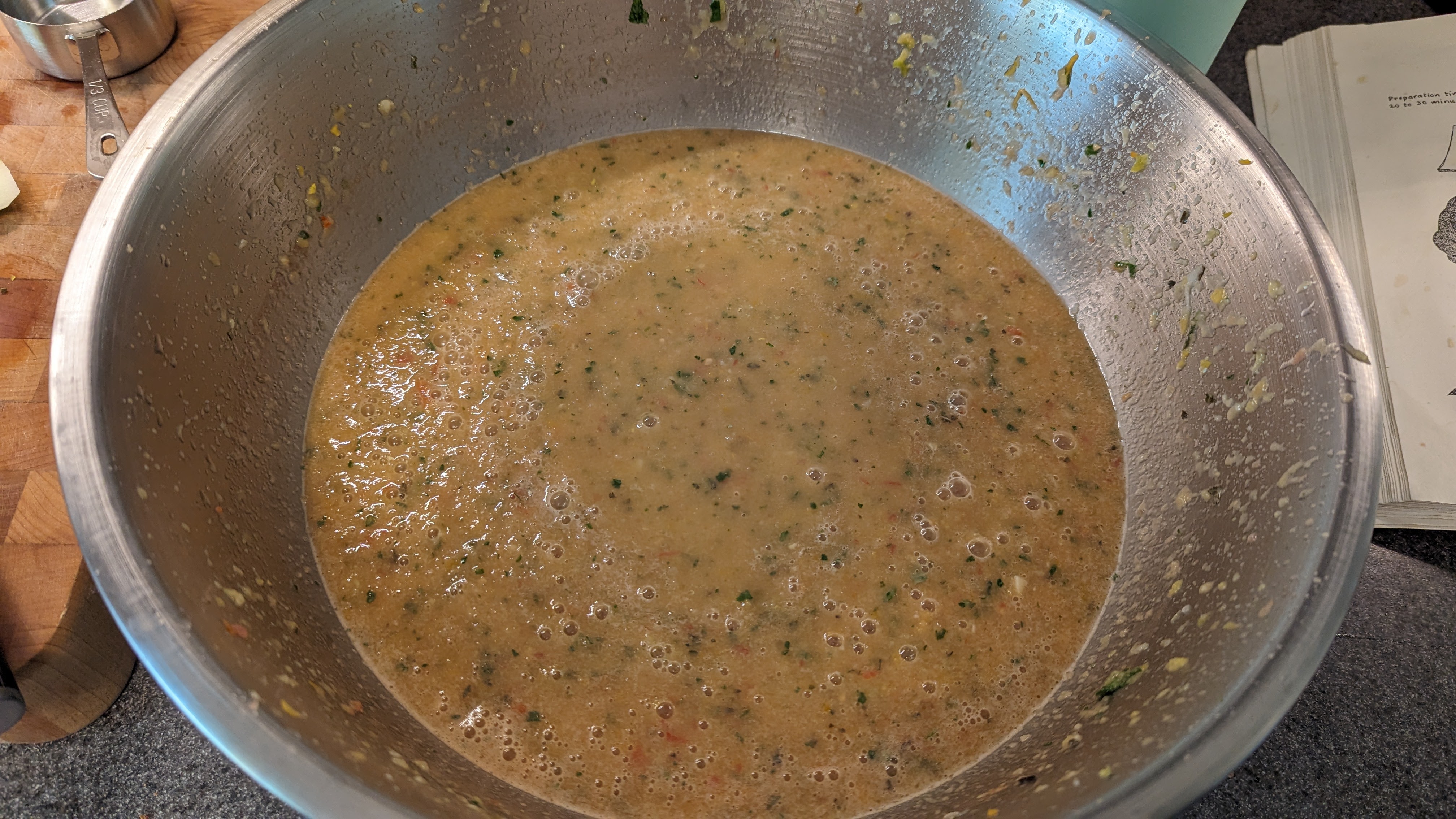
This is using a lot of german striped tomatoes, so we're more in the orange direction tonight. Looking forward to having it for dinner!
Last minute Arizona wall pillow fort
A makeshift new barrier built with shipping containers is being illegally erected along part of the US-Mexico border by Arizona’s Republican governor – before he has to hand over the keys of his office to his Democratic successor in January.
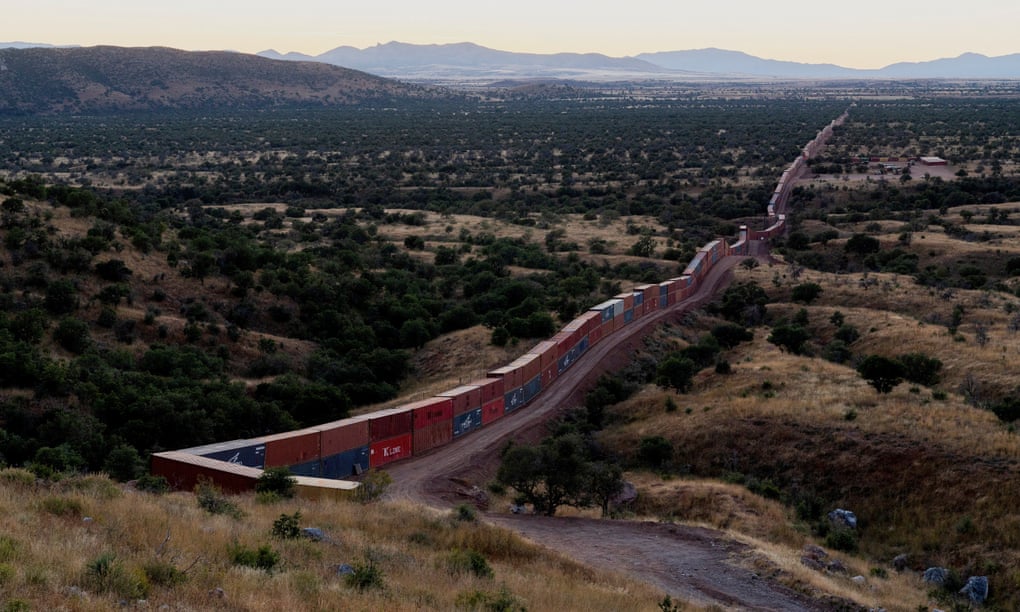
It continues to amaze me how certain executives only want to build things that divide us. Imagine this amount of effort being put into something that unites us with our neighbors.
Good on the Guardian with leading that this is an illegal action.
Rail Strike: Why The Railroads Won’t Give In on Paid Leave
All of which invites the question: Why do these rail barons hate paid leave so much? Why would a company have no problem handing out 24 percent raises, $1,000 bonuses, and caps on health-care premiums but draw the line on providing a benefit as standard and ubiquitous throughout modern industry as paid sick days?
The answer, in short, is “P.S.R.” — or precision-scheduled railroading.
P.S.R. is an operational strategy that aims to minimize the ratio between railroads’ operating costs and their revenues through various cost-cutting and (ostensibly) efficiency-increasing measures. The basic idea is to transport more freight using fewer workers and railcars.
...
The second problem with P.S.R., from the shippers’ standpoint, is that its scheduling is less precise than advertised. Eliminating spare labor or train cars may render railroads more efficient mechanisms for translating investment into profits. But such fragile systems aren’t necessarily efficient for bringing freight from one place to another, especially in a world where natural disasters and public-health crises exist.
In early 2021, when the acute phase of the COVID pandemic ended and economic demand spiked, freight carriers’ operations were derailed by their own “efficiencies.” For a week last July, Union Pacific had to suspend service between Chicago and Los Angeles while it reopened shuttered rail ramps and reconfigured operations in order to keep pace with rising orders. Similar disruptions afflicted the other major carriers, as The American Prospect details.
This is another instance where myopic 2000s micro efficiency actually makes the whole system less efficient. The only reason for PSR is maximum extraction of value. If you do that at the lower level of a complex system, there is no resiliency at upper levels, and the system really isn't efficient.
Rail workers deserve paid leave as human beings. It's the ethical thing to do. It's also the pragmatic thing to do if we want a functioning rail system going into the 2030s that can handle the system shocks from future pandemics and climate disasters. This itself is a climate story.
SIMULATIONS AND LEARNING
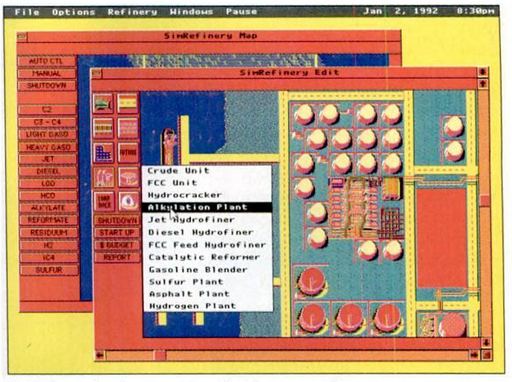
From 1992 to 1994, a division called Maxis Business Simulations was responsible for making serious professional simulations that looked and played like Maxis games. After Maxis cut the division loose, the company continued to operate independently, taking the simulation game genre in their own direction. Their games found their way into in corporate training rooms and even went as far as the White House.
When SimCity got serious: the story of Maxis Business Simulations and SimRefinery | The Obscuritory
After the success of SimCity, Maxis started making other simulation "games" targeted at industry. It included a refinery game, as well as one to help inform the health care policy debate in the early Clinton white house.
This reminds me a lot of why En-Roads is such an effective tool for doing climate simulations, there is real time feedback, and it feels like a game. But as you move sliders around you can see how complex systems interact, sometimes in surprising ways.
I think the story also gives a really important cautionary tale on tools for policy. SimHealth was built to inform the health care debate. Many approximations and things were left out of the game to make it playable, and then it was largely targeted at policy insiders. Whereas the value was probably more in raising broad understanding for the complexity and interactions of different policy approaches.
30 years later, I still think about C, R, I as the basis for zoning (even though that's completely inaccurate in a real world), because of years of SimCity play. It makes me wonder how cool it might be to have a SimCity 2050 that starts with a modern prebuilt city (or state), and your job is to rebuild it to net-zero by 2050. What a cool game that would be.
Verifying Folklore
A little while back, the internet was abuzz with the inspirational story of Mary Anning, a pioneering 19th-century paleontologist from Lyme Regis in England. Some of my favorite blogs and magazines got in on the act: Atlas Obscura, QI (Quite Interesting), Dangerous Women, Cracked, and Forbes, to name just a few, published versions of the Mary Anning story. Anning was a woman from a working-class family; her father, a cabinetmaker, was mentioned by Jane Austen in 1804. Despite her lack of formal education, Anning was involved in the discovery of several categories of ancient animals, including the ichthyosaur, the plesiosaur, and the pterosaur. She also figured out that some of the rocks she was finding and breaking open were fossilized feces, becoming one of the discoverers of the coprolite! Because she was a woman, and working class, and a religious minority to boot, she was not always recognized for her achievements, and many of her discoveries were published by Anglican male scientists. [1]
Normally, I’d love the way this story spread. It has everything: pioneer women scientists, Regency and Victorian England, beachcombing, fossils…it’s like Pride and Prejudice at the beach, with feminism, dinosaurs, and poop jokes. What’s not to like?
To be honest, there was one problem: the hook on which most of these blogs hung their story was the assertion that Mary Anning was the inspiration for the tongue twister “she sells seashells on the seashore.” Most of them even included the tongue-twister connection in the title of the blog post. But none of them provided any evidence for their claim.
She Sells Seashells and Mary Anning: Metafolklore with a Twist
Having a young daughter also made me want to believe this, and then today googling I came across this Library of Congress piece from a couple of years ago that dives into verifying it.
It turns out, it's probably not true. But the entire process of attempting to verify it is amazing all on it's own. Great read about what rigorous testing of assumptions looks like, and all the other far more interesting things you will find out along the way.
moving on from HVOPEN
18 years ago I had this idea. Linux was on the rise, and wouldn't it be cool if we had a local Linux user group? How would you even do something like that? It took 18 months, a couple of false starts, driving to a meeting in a snow storm (because I was an idiot), but eventually, in March of 2003, mhvlug.org was created. That first meeting I wasn't even there when it started, as I was loading off of an airplane and got there late.
When you do anything for nearly 2 decades, there are good times, and bad times. I remember sitting in a bar with my friend Ben one of those times I was close to walking away. But that asking for help, got a lot more folks involved, and breathed new life into it. It took use through a new generation of leaders, and even a whole new rebrand into HV Open.
Outside of family and work, I have only so much energy to put into organizing things. Right now, in this moment in history, it's all going to one place: our local Citizens Climate Lobby Chapter. This is a group I found out about through a friend from college. It's a volunteer driven organization working to build the political will for a livable future. It starts with getting congress to put a price on carbon pollution, and return that money as a monthly dividend for all adults. It's been an incredible growth experience in learning what it means to be an engaged citizen in the 21st century. Addressing climate change is a lot less overwhelming when you are acting on it, engaging local media, meeting with local leaders, and sitting down with your member of congress and bringing your concerns to the table.
But that takes time and energy, there is always more to do. And it meant I was really shortchanging HV Open. It was time to pass the torch for good. So I'm doing that.
June was the last meeting I ran. There is now a leadership team with Joe and Matt at the helm that will be fleshing out what's next. As with any legacy transition, expect a few bumps along the way. I'll still be at most of the meetings, but I get to just come and listen now, and not have making it all work be my responsibility. It's a little bit amazing.
Thanks to everyone that helped make HV Open the organization it is today. Things don't just survive 16 years on their own. I'm really proud of what I helped build, and excited to see how this thing evolves with new voices and new leadership.